
View Published Dynamic Forms
To view the forms that are published:
-
Click
 on the left and click Dynamic Forms.
-
Click Published in the Forms Dashboard section.
The list of forms that are published displayed on the right.
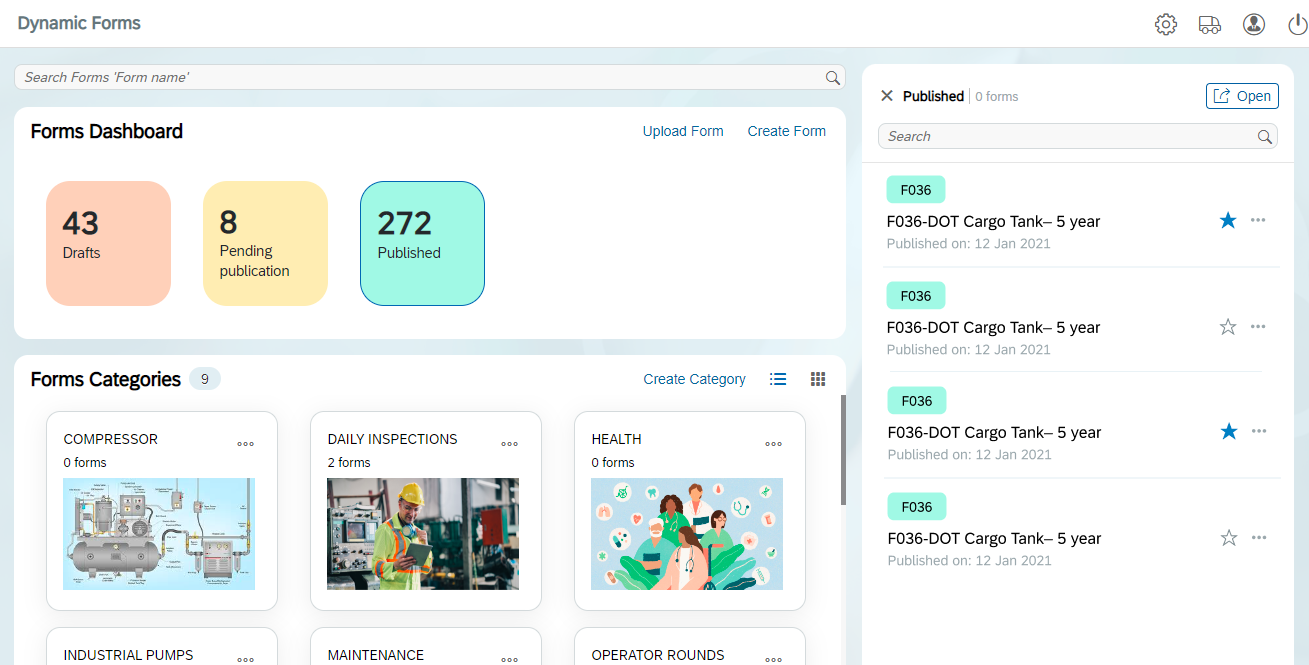 In this section, you can,
 all forms.
- Search for specific forms, view date when the form was published, click on the form to view the preview (phone or tablet) of dynamic form.
- You can mark the form as favourite that you want retrieve quickly in
future by clicking
 or click
  to remove the form from favorites.
 - Click the More
 icon next to the form to check
Version History of the form, Duplicate,
Deactivate, or Delete form.
icon next to the form to check
Version History of the form, Duplicate,
Deactivate, or Delete form.