
Understanding Response Types Used for Creating Round Tasks
A well-thought-out and structured round plan gives context for your operators and helps them to complete their work quickly, correctly, and efficiently.
- Capture all the required information about the assets.
- Make it simpler to do maintenance checks in an orderly manner.
- Enhance the field user experience.
Follow the below pointers to create an effective round plan:
Pages and Sections
Sections are groups of tasks bunched together and pages may be either one or a group of sections. This logical organization of tasks helps you to complete maintenance checks quickly.
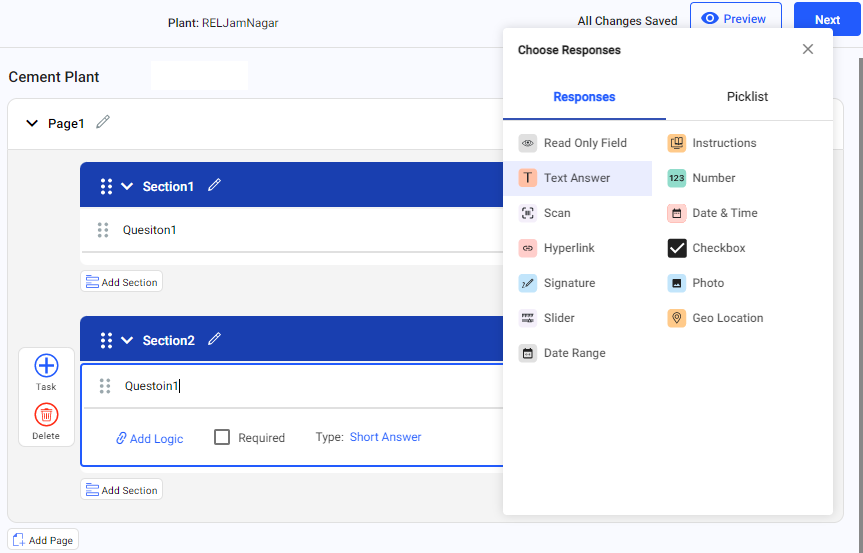
- Pages
Add pages to navigate quickly to the next page in the mobile application.
- Sections
Add sections inside each page to group relevant tasks together.
- Tasks
Add tasks with logical questions under each section with different response types along with required conditional logic.
- Standard Response Types
Standard response types are predefined formats that help capture relevant data consistently and efficiently during maintenance tasks. Standard Response Types are categorized into Responses and Picklist.
The application supports the following Standard Response Types: