
Create Shift Log Template
Create a Shift Log Template when Operators need a consistent set of sections and questions for recording shift events at a plant, unit, or position.
To create a shift log template:
-
Expand Shift Handover and click Shift Log
Templates.
List of shift log templates are displayed in the Log Templates screen.
Figure 1. Log Templates Screen 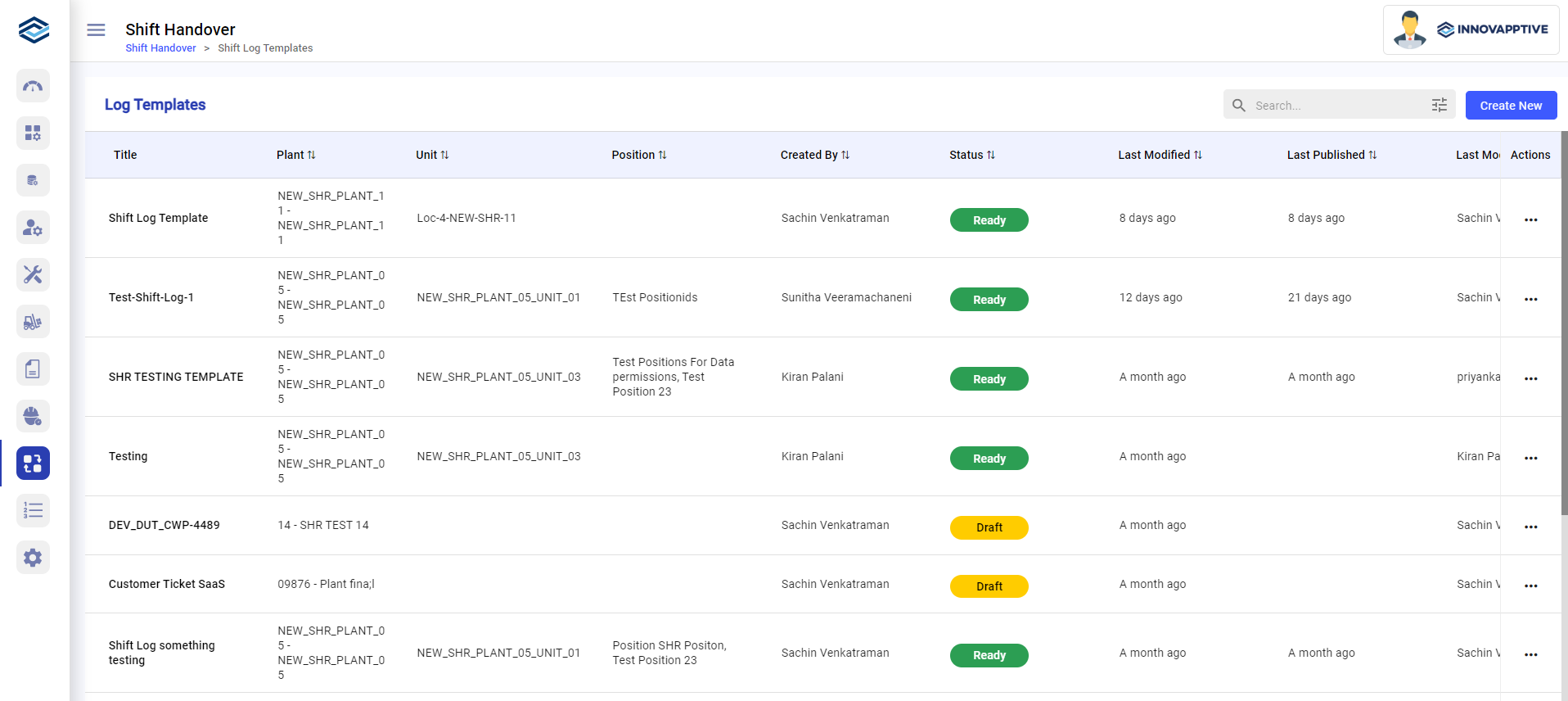
-
In the Details screen,
- Enter the name of the template in the Name field.
- Select the plant from the Plant drop-down.
- Select the unit from the Unit drop-down.
- Select the position from the Position drop-down.
- Click Save & Go Next.
Figure 2. Details Screen 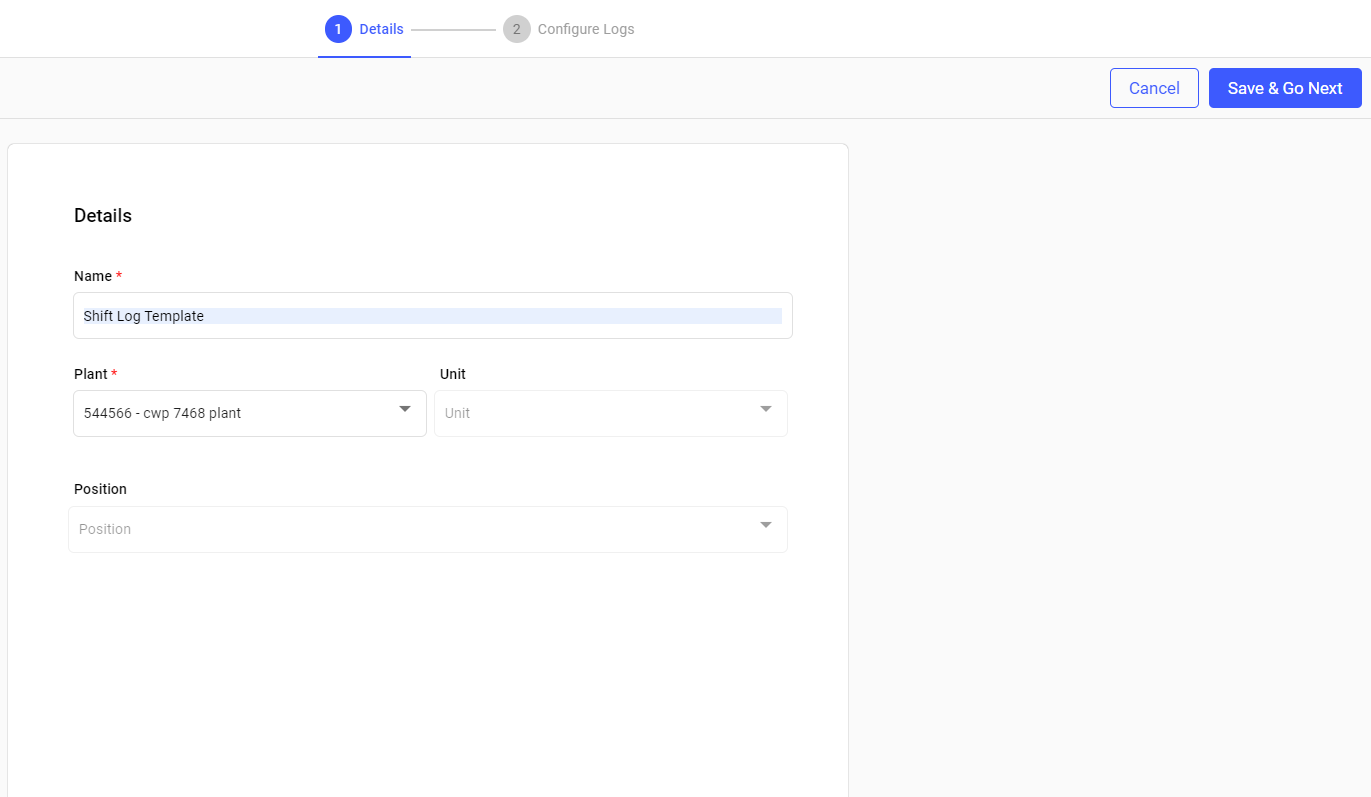
-
In the Configure Logs screen,
- Add tasks inside the sections.
- Add response types for the tasks.
- Add conditional logic for the tasks.
- Add helper text like instructions to the operator.
You can view the mobile preview of the shift log on the right side.
Figure 3. Configure Logs Screen 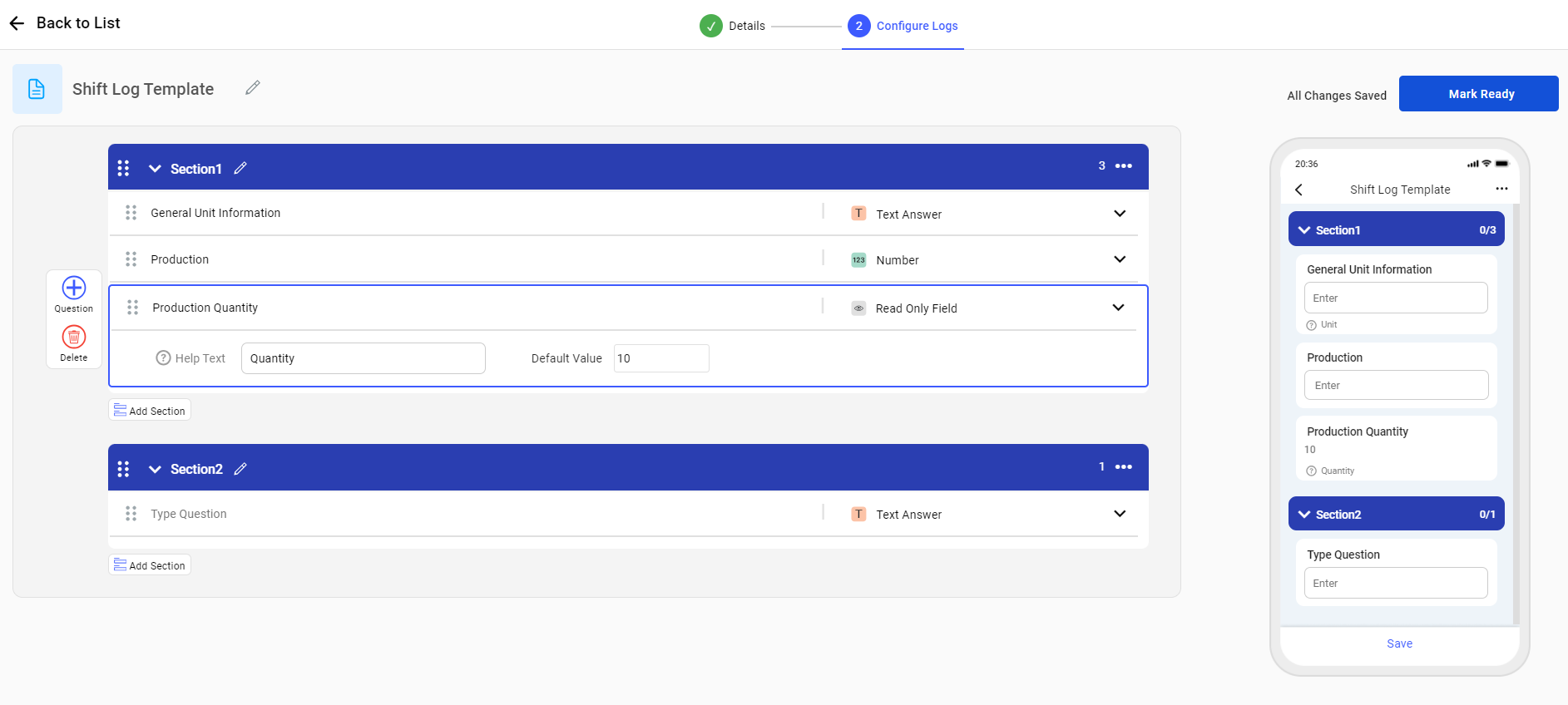
-
Click Mark Ready.
The shift log template is created successfully and you can view it in the Log Templates screen with Ready status.
Click
 and select Edit next to the template to
edit the template.
and select Edit next to the template to
edit the template.Click
and select Delete next to the template
to delete the template.
The shift log template is saved with Ready status and is available from Log Templates.
Related task: Generate and Submit the Shift Handover Report