
Create and Manage Actions
Use Actions to manage separately assignable follow-up activities created from inspection findings when the workflow is enabled.
The Observations dashboard graphically represents Open Actions information in doughnut
charts, categorized by their priority and status. You can filter actions by
Plant and Unit.
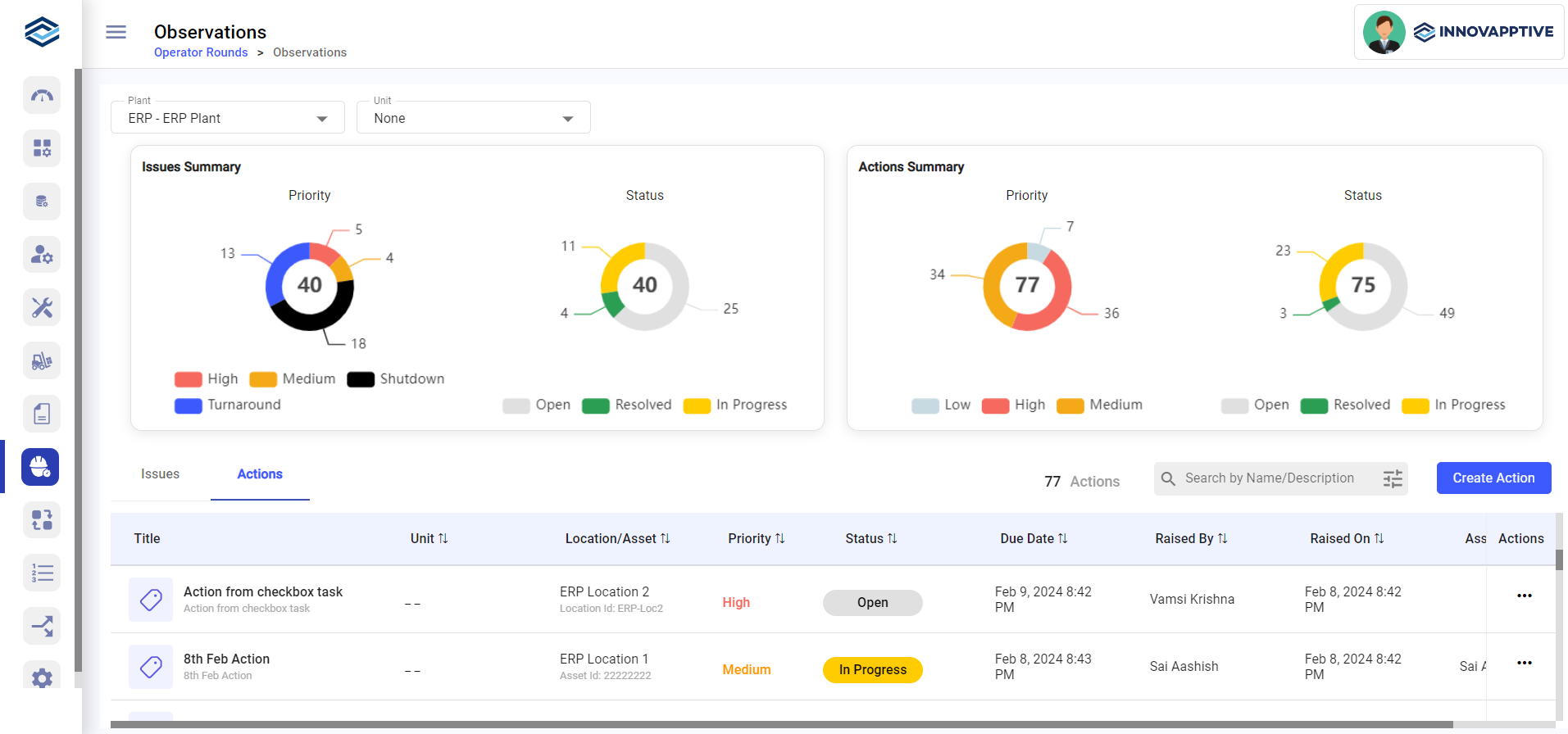
Follow the Action lifecycle in order: create, monitor, and close.