
Monitor Actions
Monitor Actions to see which follow-up activities are open, in progress, overdue, or ready for review.
-
Click the Actions tab.
Sort the list by Unit, Location/Asset, Plant, Priority, Status, Due Date, Notification Number, or Assigned To.
Figure 1. View Actions 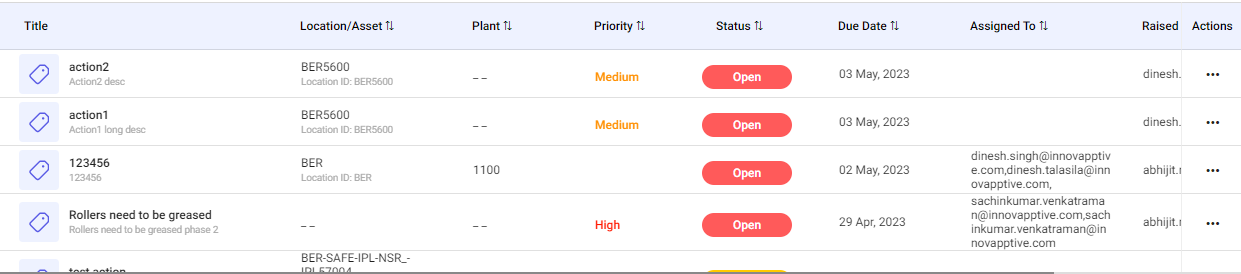
The selected Action details and Log History are displayed.
Next: After the outcome is recorded, update and close the Action.