Schedule a Round Plan by Frequency

Create a repeating schedule when the round must run daily, weekly, monthly, or yearly. The schedule controls future round generation.

To schedule a round by frequency:

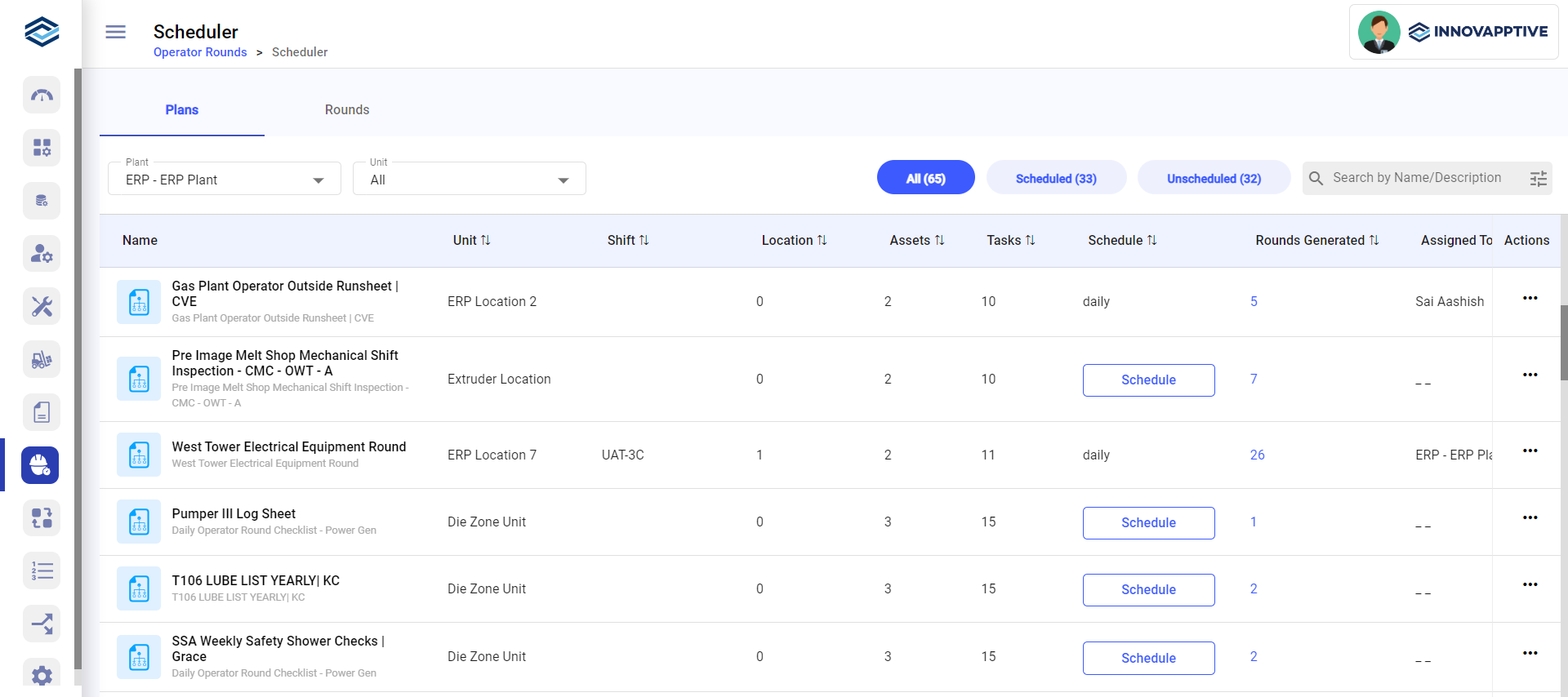
  1. Expand the Operator Rounds module and click Scheduler on the left pane.
  2. In the Plans tab, click Schedule on the round plan and select Header Level.

    Or click the More icon and select Schedule > Header Level.

    Figure 1. Schedule Rounds Screen

  3. In the Header screen, choose the By Frequency radio button.
    Figure 2. Schedule Rounds by Frequency
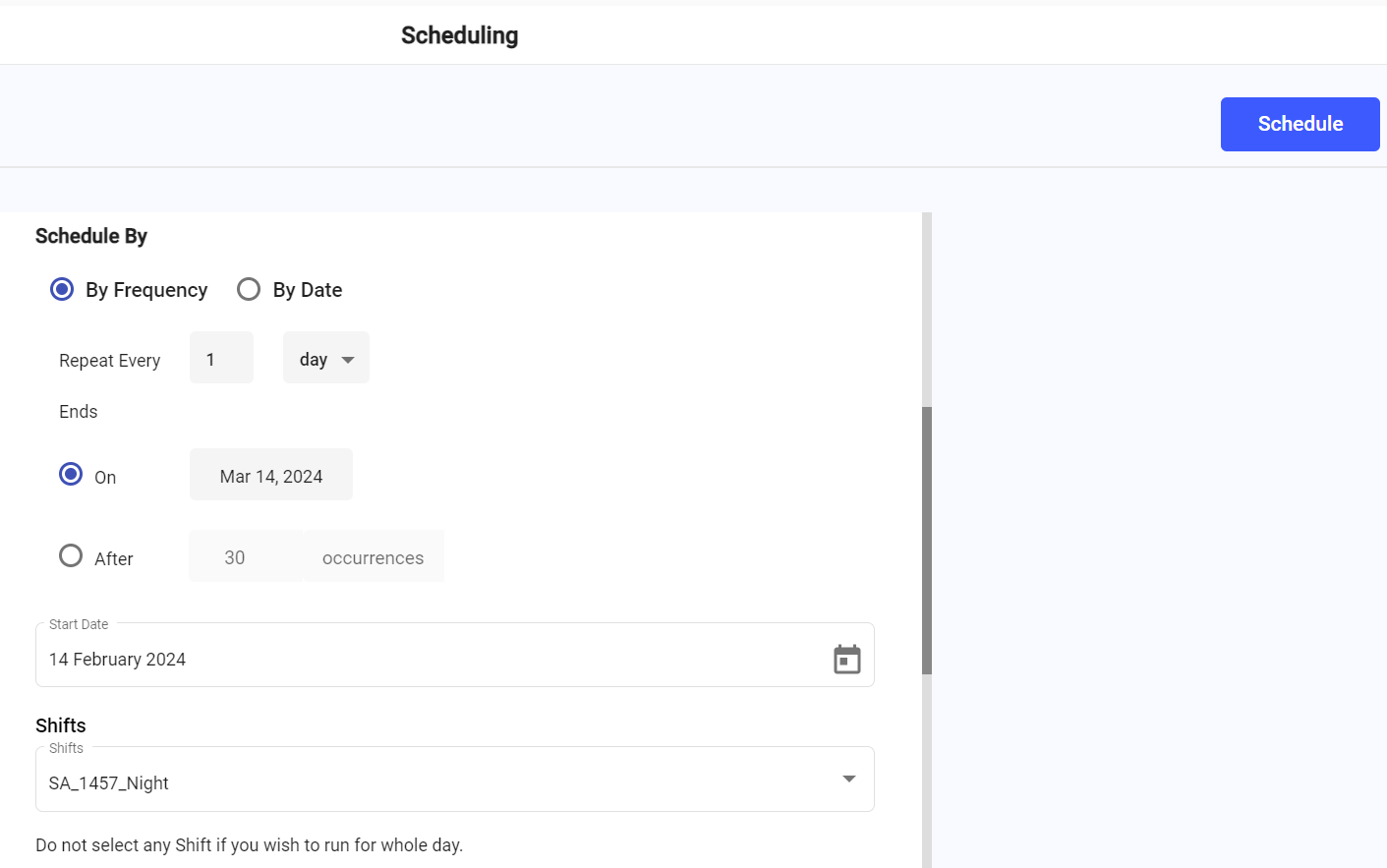
  4. In Repeats Every, set the interval and unit (day, week, or month).
    • 10 + day = every 10 days. 2 + week or month = every 2 weeks or months.

    For a specific weekday each month (for example, every "Monday"), mRounds adjusts automatically at month boundaries: if the month starts on a Thursday, the first scheduled Monday is the first full week's Monday; if the month ends on a Sunday, the last scheduled Monday is the previous full week's Monday. No manual fix is needed for these calendar edge cases.

  5. Select when to end the schedule: Ends On <Date> or Ends After <number> Occurrences.
  6. In Start Date, select when the schedule begins.

The recurrence pattern is set.

Next action: Set the shift, slot, and buffer time. See Set the Shift, Slot, and Buffer Time.