
Create a Follow-on Work Order
Create a follow-on work order that stays linked to the work order or operation it came from.
-
Tap the More
 icon at
the top right.
icon at
the top right.
-
In the Choose Option window, select Create Follow on Work
Order.
Figure 1. Create Follow on Work Order 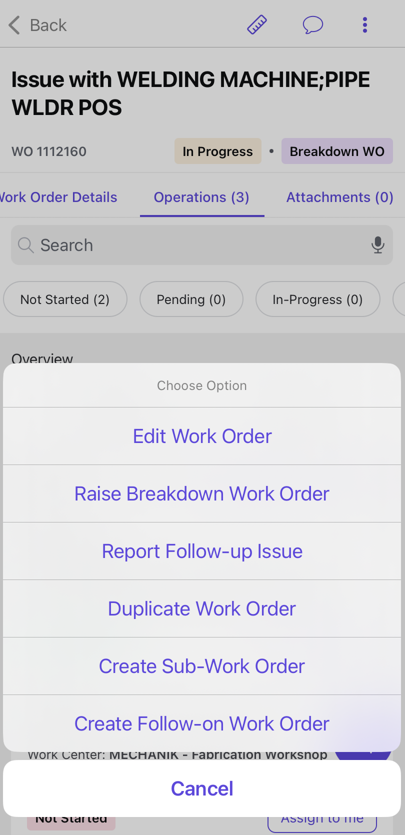
The follow-on work order is created with a traceable relationship to its source work order or operation.
The asset, location, and source details will pre-populate when creating a linked follow-up Work Order from executed work. The original Work Order remains unchanged.
Next: review and plan the linked follow-on work order as described in Create and Assign Work Orders.