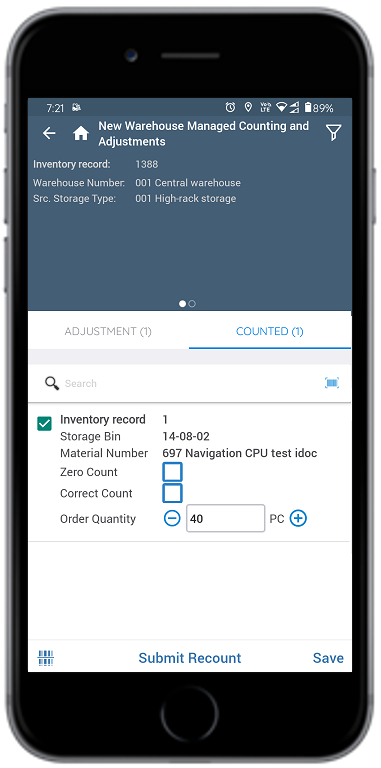
You can recount the warehouse stock at storage bin level when there is a variation
in count for the line item that is already posted and save the updated count. This
feature helps to maintain the accurate stock and avoid loss or difference of the
stock.
To recount the stock:
In the Home screen, tap Cycle Counting.
Tap New Warehouse Managed Counting and Adjustments.
Enter the search criterion like Warehouse Number, Inventory Record
Number, Storage Type, Storage Location, or
Material.
Tap Search.
Tap an inventory record which is in Completed state.
Tap the Counted tab and select the line item.
Enter the quantity in the Order Qty field.
Figure 1. Recount Warehouse Stock
Tap Submit Recount.
Add signature and tap Confirm.
A message appears confirming that Recount has been initiated for inventory
<number>.