
Unassign a Round You Have Not Started
Return an assigned round to Open Rounds when you have not started it and cannot complete it. Another Operator can then take ownership.
To unassign an Assigned round:
-
In the Round Details screen, tap the More
 icon and select Unassign
Round.
icon and select Unassign
Round.
Figure 1. Unassign Assigned Round 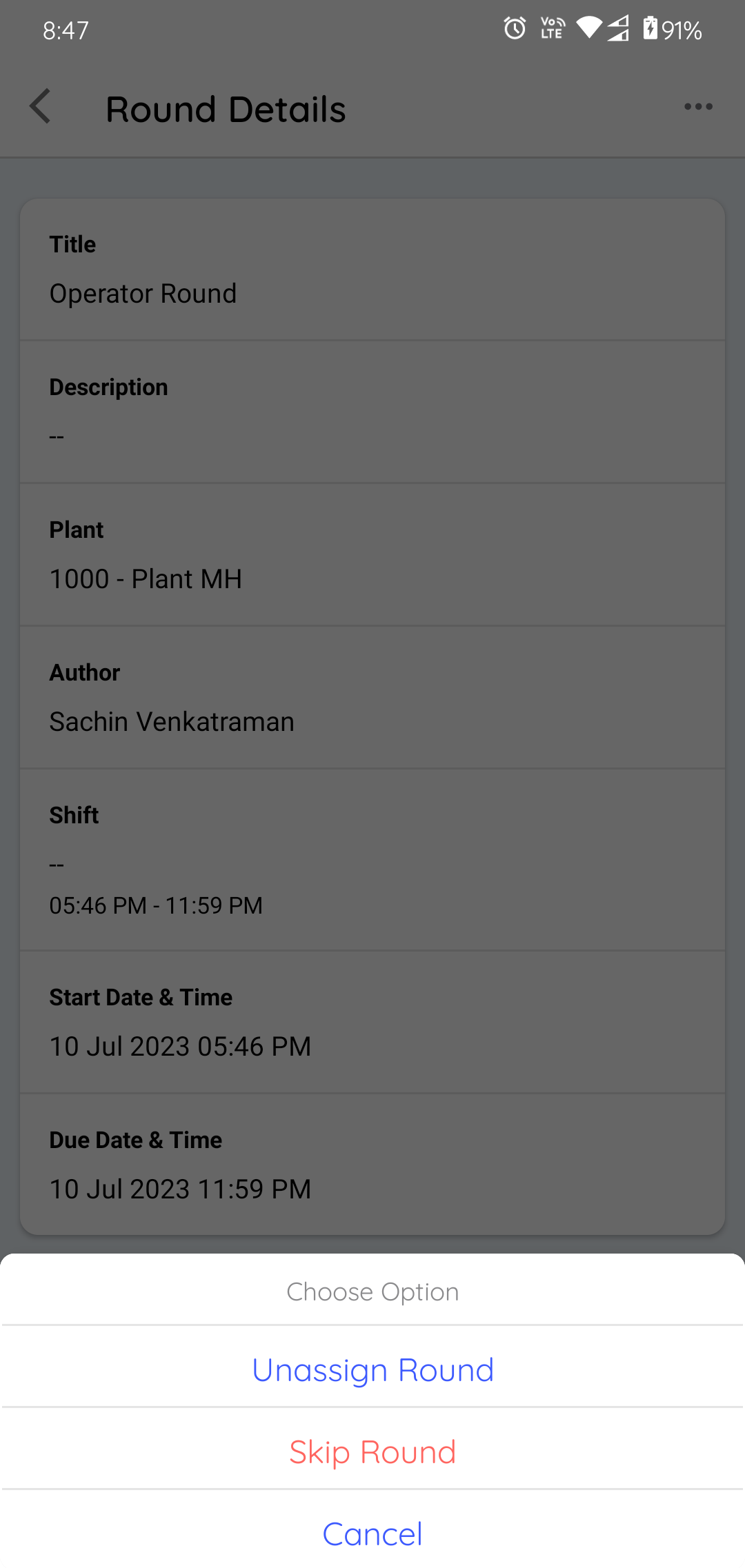
A confirmation message appears.
The round is removed from your assigned tasks and made available for another operator to claim.
Next: Return to Find and Claim Your Rounds to review the work still available to you.