
Track Ongoing Issues
Monitor open and in-progress Issues to understand priority, ownership, due dates, and whether follow-up is moving toward resolution.
-
Click the Issues tab.
Sort the list by Unit, Location/Asset, Plant, Priority, Status, Due Date, Notification Number, or Assigned To.
Figure 1. View Issues 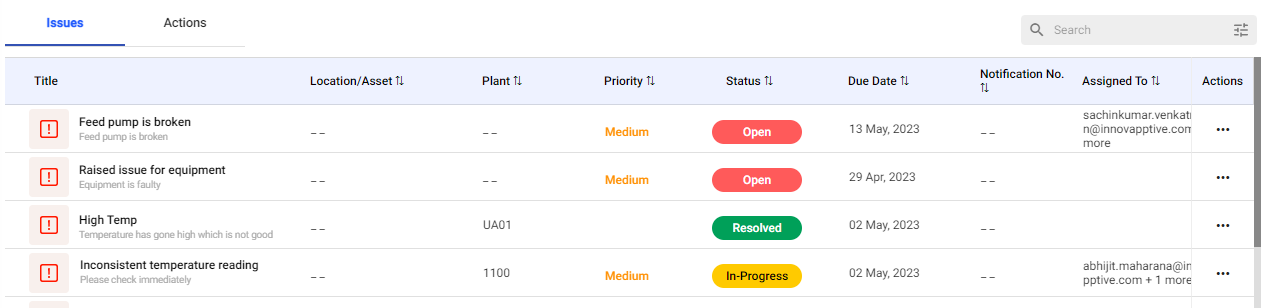
-
Review the SAP notification status when the Issue is connected to an ERP notification.
A notification submitted from mRounds appears as NEW in SAP or mWorkOrder. Later status updates from SAP or mWorkOrder, such as In Progress, are reflected in mRounds.
Figure 2. SAP Notification 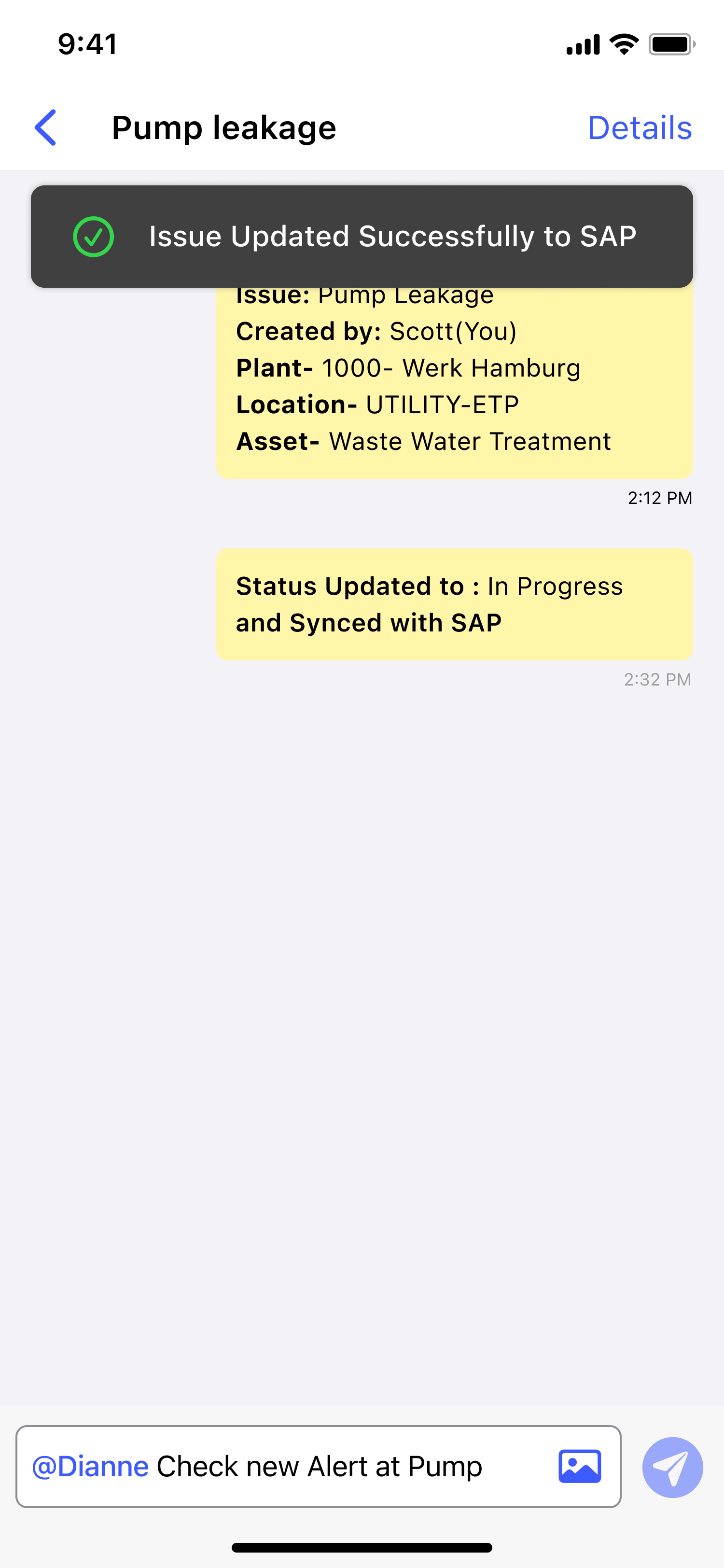
The selected Issue details and Log History are displayed.
Next: After the resolution is recorded, update and close the Issue.