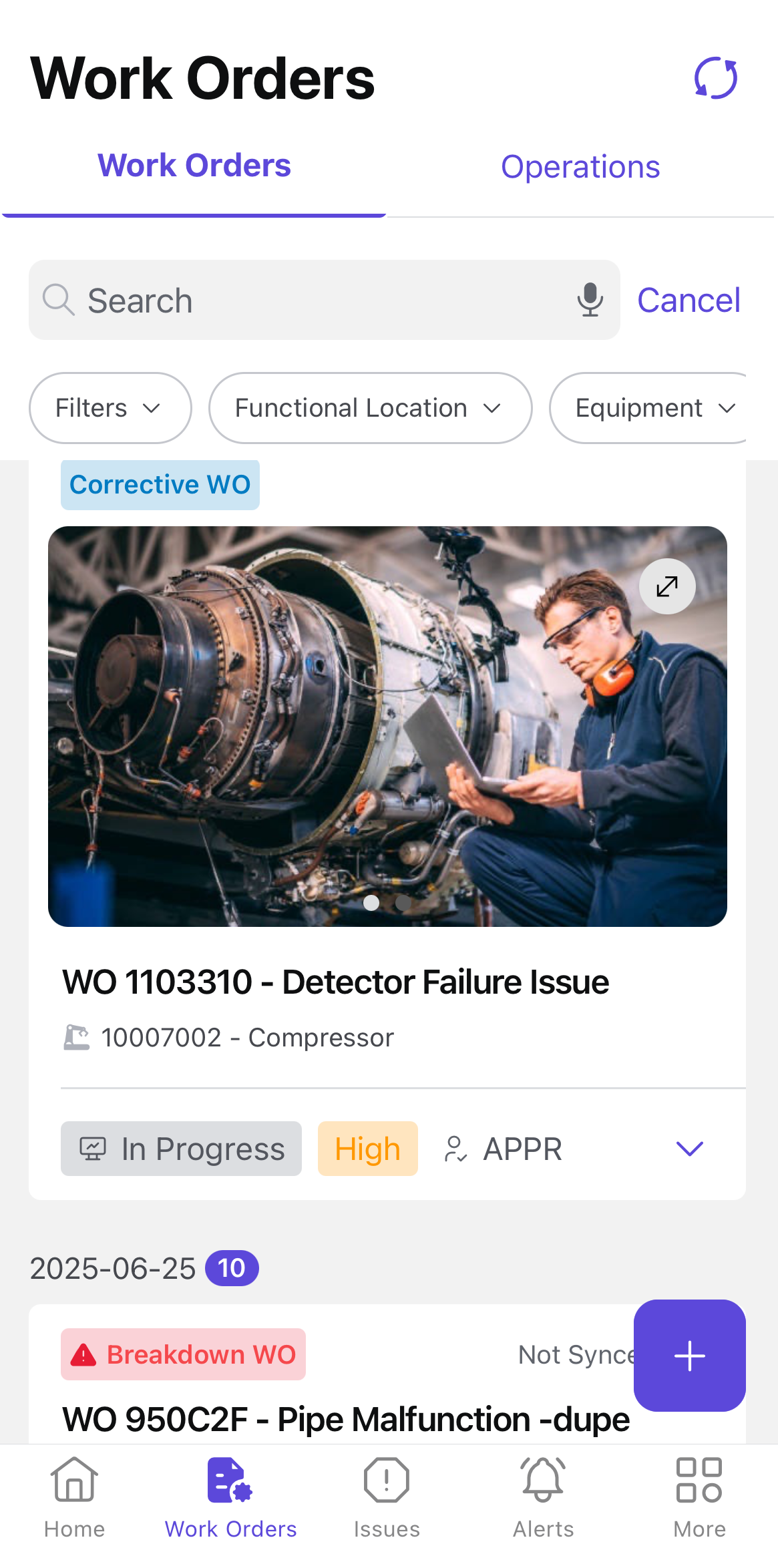
The Work Orders screen lists your assigned work orders and operations under separate tabs.
Work Orders
The Work Orders tab displays a comprehensive list of created and assigned work orders,
including job descriptions, assigned personnel, due dates, and priority levels. Key
details remain accessible even when offline.Figure 1. Work Orders Screen
On this screen, you can:
View list of created and assigned work orders.
Execute operations and update work order status.
Get permits, collect components, execute operations, and fill forms.
Add notes and attachments for better tracking.
Log work progress to maintain task visibility.
Filter work orders based on functional location, equipment, assignment, and
other criteria.
Operations
The Operations tab lists the assigned operations, providing a clear breakdown of
individual tasks within a work order.