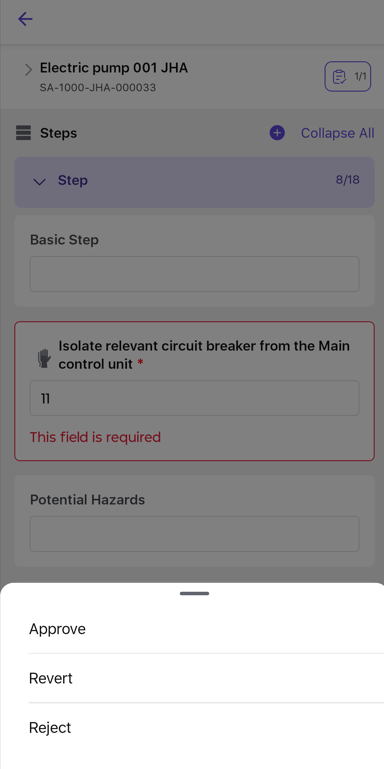
Approve JHA
Approving a JHA validates that the hazards, risk assessments, and control measures are correctly defined. The approver can approve the JHA, revert it for corrections, or reject it if it is no longer required.
To approve a JHA:
- Go to the All JHA or Pending Approval tab.
- Select the JHA that needs to be approved.
- Click Take Action.
-
Perform one of the following actions:
- Approve – Approve the JHA if all details are valid.
- Revert – Send the JHA back to the requestor for required changes.
- Reject – Reject the JHA if it is no longer required.
-
Based on the selected action:
- If you click Approve, add Signature and Comments, then click Submit.
- If you click Revert, provide valid Comments for reverting the JHA and click Submit.
- If you click Reject, provide valid Comments for rejecting the JHA and click Submit.
Figure 1. Approve JHA