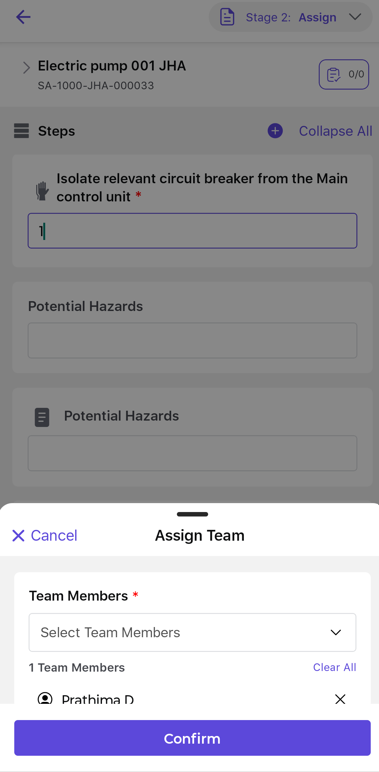
Assign JHA
Assigning a JHA ensures that the appropriate team or responsible personnel review and evaluate the identified hazards and control measures before work begins.
To Assign JHA:
- Click the JHA tab.
- Go to the Total JHA or Pending Assignment tab.
- Select the JHA that needs to be assigned.
- Click Take Action.
-
The following options are available:
- Assign – Assign the JHA to a team.
- Reject – Reject the JHA if it is not required.
Figure 1. Assign / Reject JHA 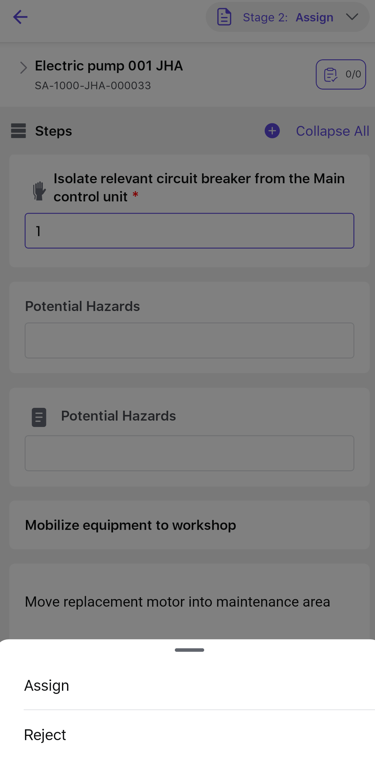
- Click Assign.
- The Assign Team screen appears.
- Select the required Team Members from the dropdown list.
-
Click Confirm.
Figure 2. Assign Team to JHA