
Count EWM Items at Regular Intervals (Cycle Counting)
Use the Cycle Counting sub-module to count the items in Warehouse on a cyclic schedule, to ensure accuracy of the items.
You can sort inventory records based on custom bins while performing blind counts, cycle counts, and inventory adjustments as well.
As an extended warehouse manager/personnel, you can count items, in a location, at specific intervals like weekly or monthly and so on. For example, if item A is a fast-moving item or critical to your operation then you can do cycle count for item A every week and ensure the stock on shelves matches with the Physical Inventory Documents (PID).To count items in warehouse:
-
Tap on Cycle Counting.
Figure 1. Search PID Documents 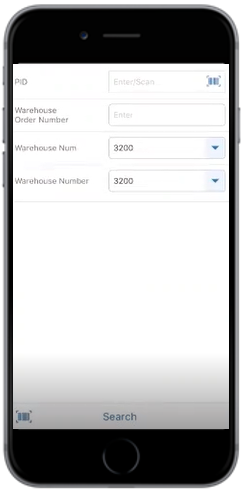
-
Tap Search.
In the search results screen, you can:
- Tap the Search field to search the warehouse document.
- Tap the Scan icon to scan a batch of line items.
- Sort and filter the records. For more information, see Sort Records and Filter Records.
Figure 2. PID Documents List 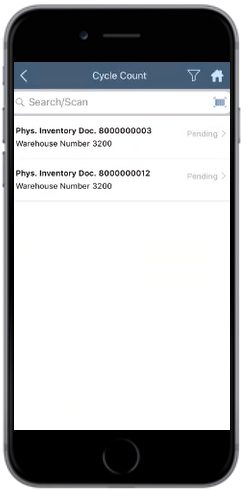
-
In the Cycle Count screen, tap on the PID document.
Figure 3. PID Documents Line Items 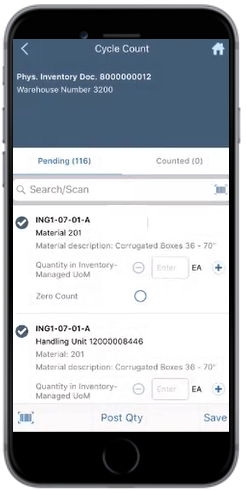
The count is posted and the counted documents are shown on the Counted tab.