
Create and Use a Custom Dashboard
Create a plant-specific Custom Dashboard when Supervisors need a reusable collection of selected metrics and reports in one view.
A Custom Dashboard holds the widgets you choose, so the data you monitor most often appears in one view. You can download or export widgets in PDF and Excel format, or share them by email. For more information, see Create a Custom Widget.
Create dashboards and reports when the standard shift views do not provide the combination of metrics or detail the organization needs. For daily operational monitoring, start with Monitor the Shift.
-
Review the dashboards you have access to.
Each dashboard shows:
- Dashboard name
- Associated Plant
- Number of widgets
Figure 1. Custom Dashboard 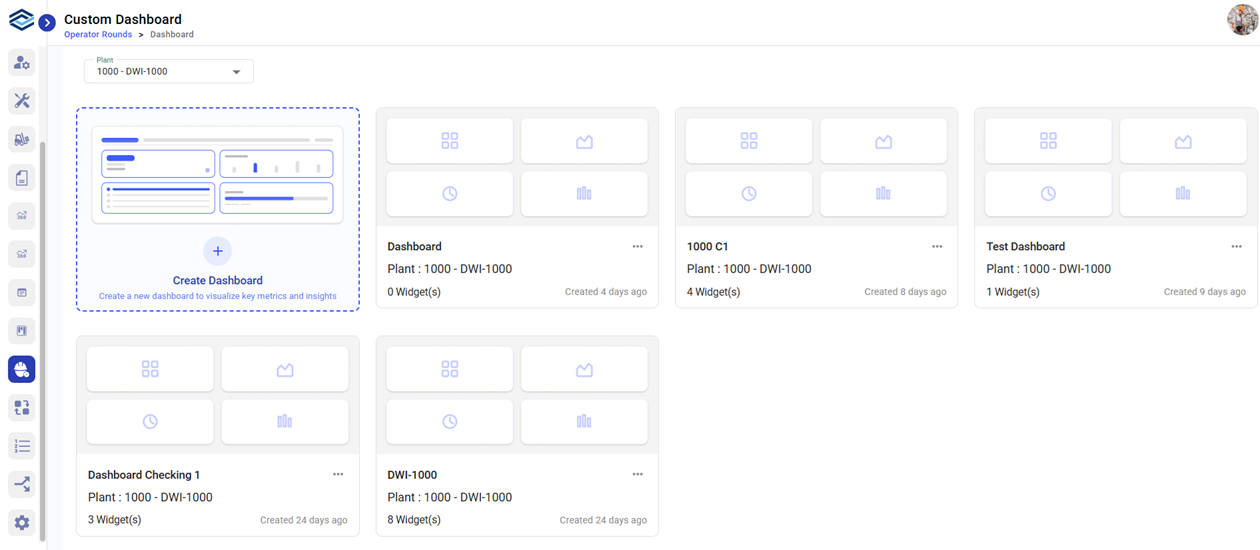
The Custom Dashboard page displays the dashboards available to you.
Related task: Create a Custom Widget
Create a Plant-Level Dashboard
The dashboard appears as a card under the selected plant.