
Configure an Issue
Configure the Issue form so users see the correct fields, defaults, help text, permissions, and integration options when they report a finding.
Administrators can define:
- Custom fields to capture plant-specific data
- Default values to standardize entries
- Help texts to guide end users
- Auto-fill conditions to speed up data entry and reduce errors.
This ensures accurate, consistent, and efficient issue reporting across your operations.
-
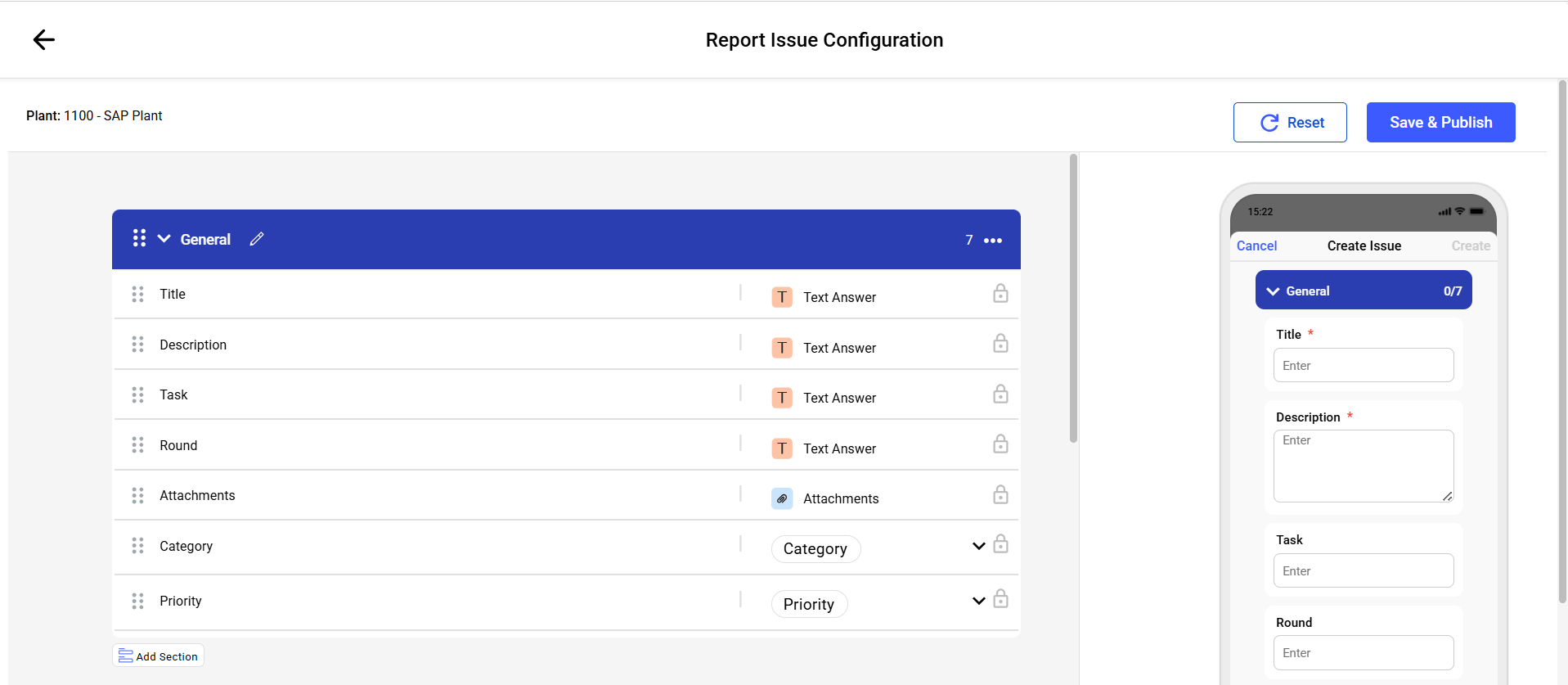
In the General section, customize the Issue Title,
Description, Photos, Priority, and Category fields.
Configure an Issue
-
Set field permissions where a field should behave differently for a role.
Available for any non-mandatory system field, custom field, or integration toggle such as Convert to ERP Notification.
- Click Field Permissions.
- Select a role from the Select Role drop-down.
- Select a behavior — Hide or Read Only — from the Permissions drop-down.
- Click Save.
Figure 1. Field Permissions 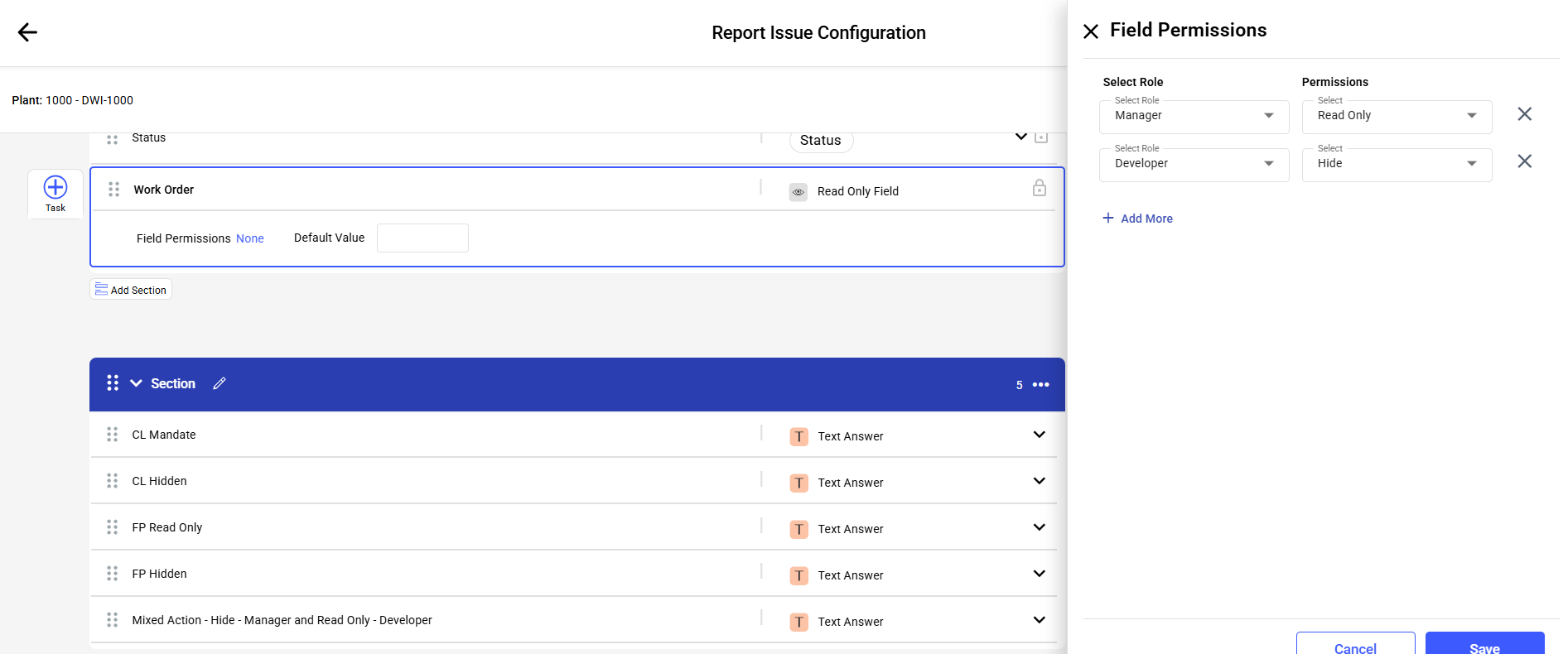
The Issue form configuration is published and its mobile preview reflects the saved field settings.
Related task: Create an Issue