
Configure Shift Handover Report Content
Choose the round, observation, log, note, instruction, and attachment information that should appear in the Shift Handover Report for a plant.
Setup has two steps. Report Configuration sets the sections shown in the report. PDF Setup sets what goes into the PDF. The PDF can include fewer sections than the report, so the people who receive it get only what they need.
For example, your plant emails the report PDF to the maintenance team after every shift. They need observations and alerts, but not shift instructions. Keep Instructions in the report, and clear it in PDF Setup.
The sections you select apply to the Shift Handover Report for the whole plant, not to a single shift.
-
Click Next.
Figure 1. Reoprt Configuration 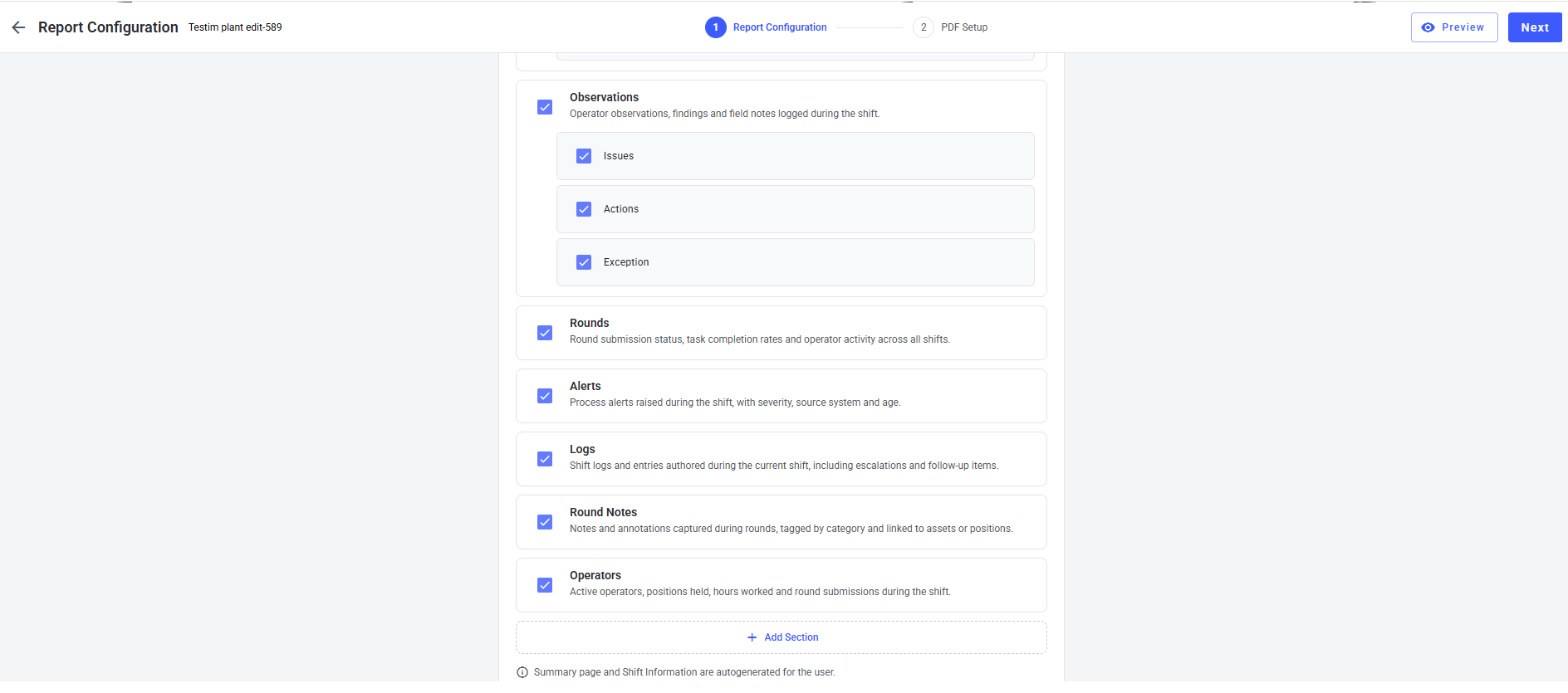
-
Click Save Configuration.
Figure 2. PDF Configuration 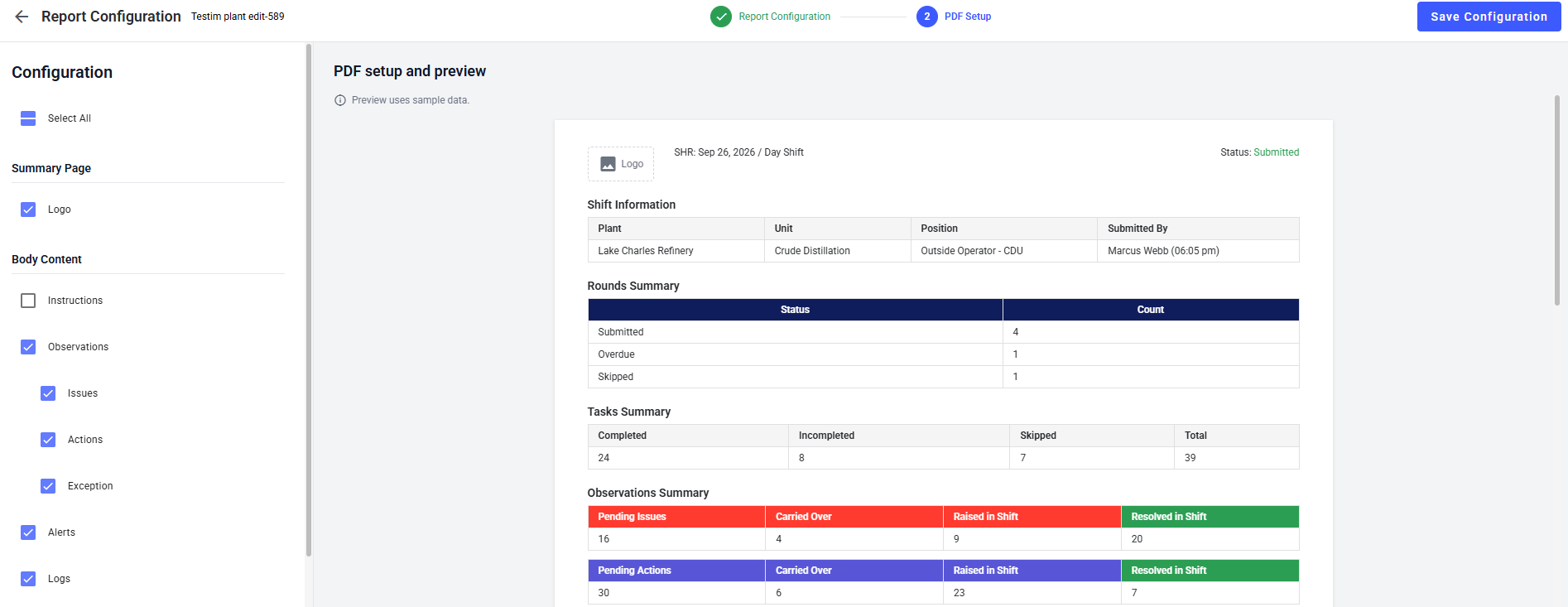
The Shift Handover Report for the plant now includes only the sections you selected.