
Raise a JHA
Use this procedure to create a new JHA based on a predefined template. During this process, you define the activity, break it into job steps, and identify hazards and control measures.
The JHA Requestor initiates a JHA by selecting a predefined template and filling in the required details.
To raise a JHA:
- Navigate to EHS → JHA from the left navigation panel.
-
Go to the Request tab and click Request Received.
Figure 1. JHA Request 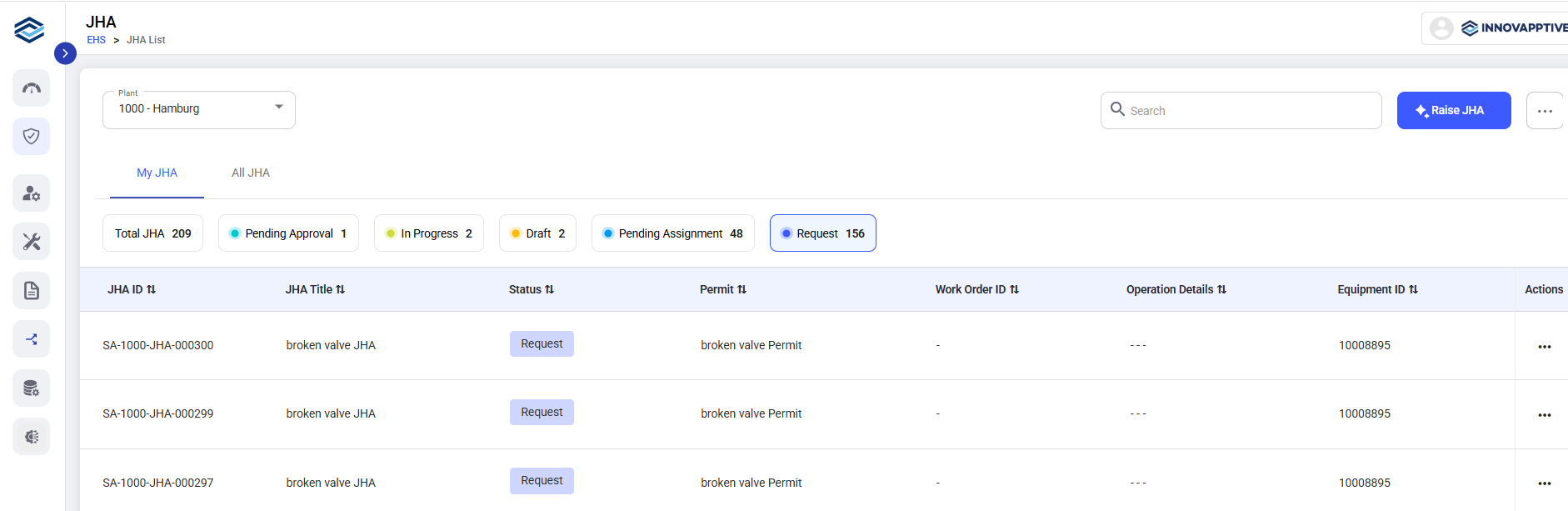
- Select the required template from the Select Template screen if multiple JHA templates are available.
-
Click Create JHA (or)
Figure 2. Create JHA 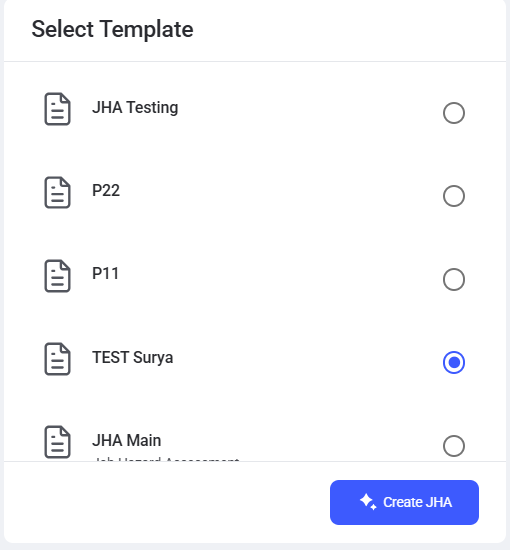
- Click Raise JHA at the top right corner.
-
Provide the required details in the JHA Details screen:
- Functional Location - Select the location where the work is to be performed.
- Equipment - Select the equipment associated with the work, if applicable.
- Define Activity - Specify the activity or task for which the JHA is being created
Figure 3. Raise JHA 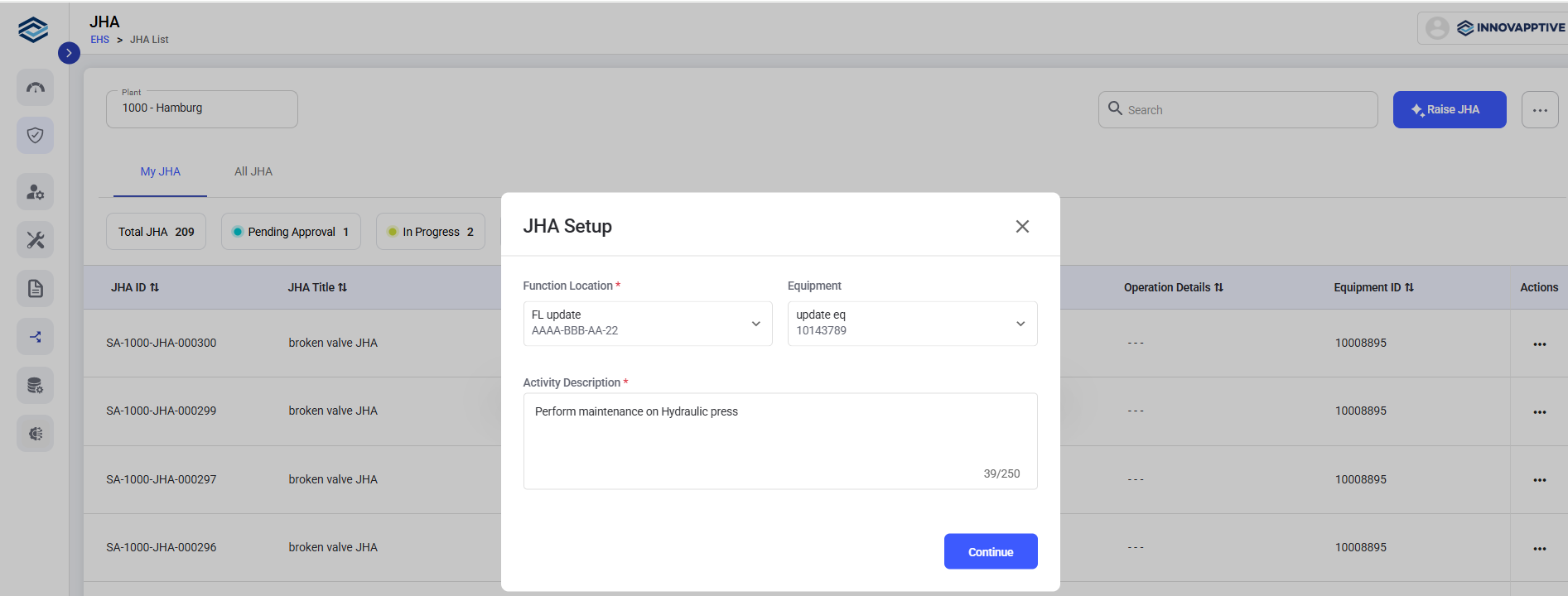
- Define job steps, add predefined questions linked to each step.
-
For each job step:
-
Select applicable Hazards
-
Define corresponding Control Measures
- Assign the appropriate Risk Level.
-
- Add Questions.
- Upload supporting documents or images and add notes for additional context.
- Add new steps or questions as required.
-
Click Submit.
The JHA ID is generated automatically upon submission.
The JHA is now submitted and moves to the Assign stage.