
Work Acknowledgement
Assigned team members must review the JHA and acknowledge the defined hazards and control measures before work begins.
Steps for Work Acknowledgement:
- Navigate to EHS → JHA from the left navigation panel.
- Go to the In Progress tab and select the JHA that needs to be validated.
- Review the job steps, potential hazards, and control measures on the field.
- Click Work Acknowledgement.
- Change your status from In Progress to Completed, add comments if required.
- Click Done.
-
After all assigned team members complete their acknowledgement, click
Submit to proceed.
Figure 1. Work Acknowledgement 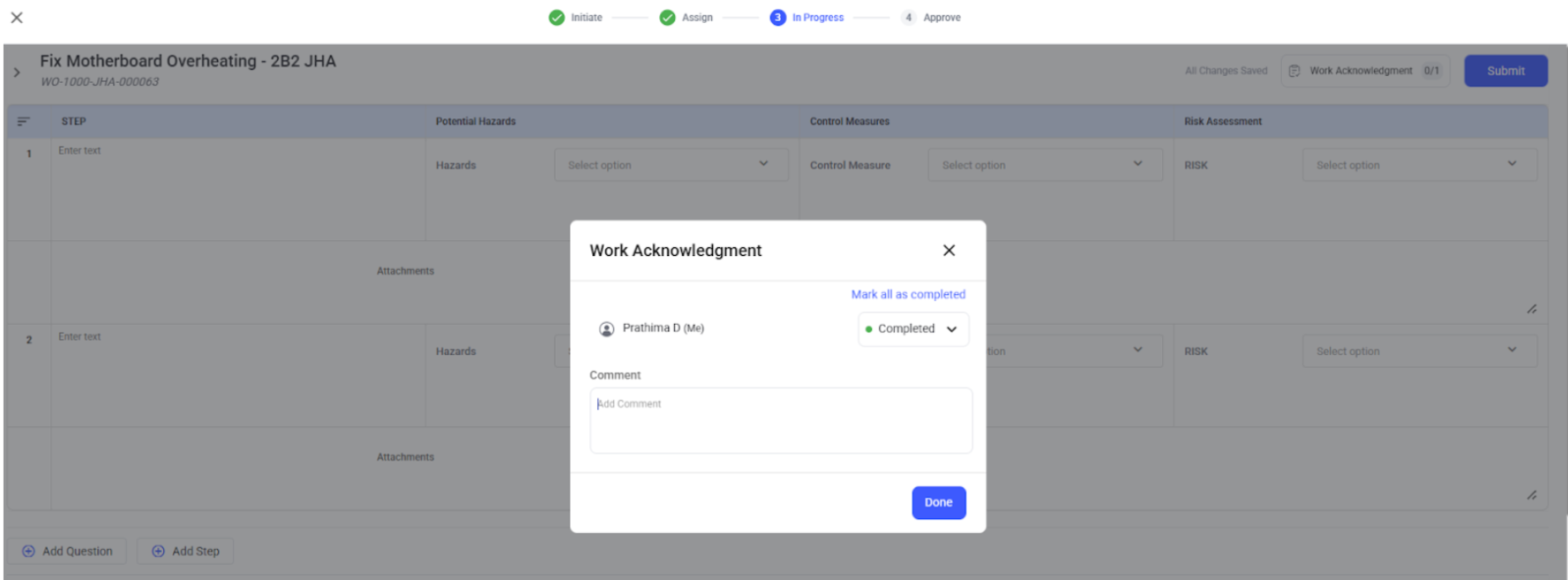
Things to remember:
- Each assigned JHA Team member must complete Work Acknowledgement.
- The JHA cannot move forward for approval until all acknowledgements are completed.
- If the JHA is sent back for updates, team members must re-acknowledge after changes are made.