
Create an Issue Using AI
Describe the problem in your own words, take a photo, or use both. AI identifies the asset and location and fills in the issue title and description for review.
For example, if you notice a problem with a centrifugal pump in the repair shop, describe the issue with the Pump and tap Send. AI identifies matching pumps and prompts you to select the correct one. It then fills in the issue title and description. Review the details, add any missing information, and create the issue.
To create an Issue using AI:
-
In the Choose Option window, tap Create Issue using AI.
Figure 1. Create an Issue Using AI 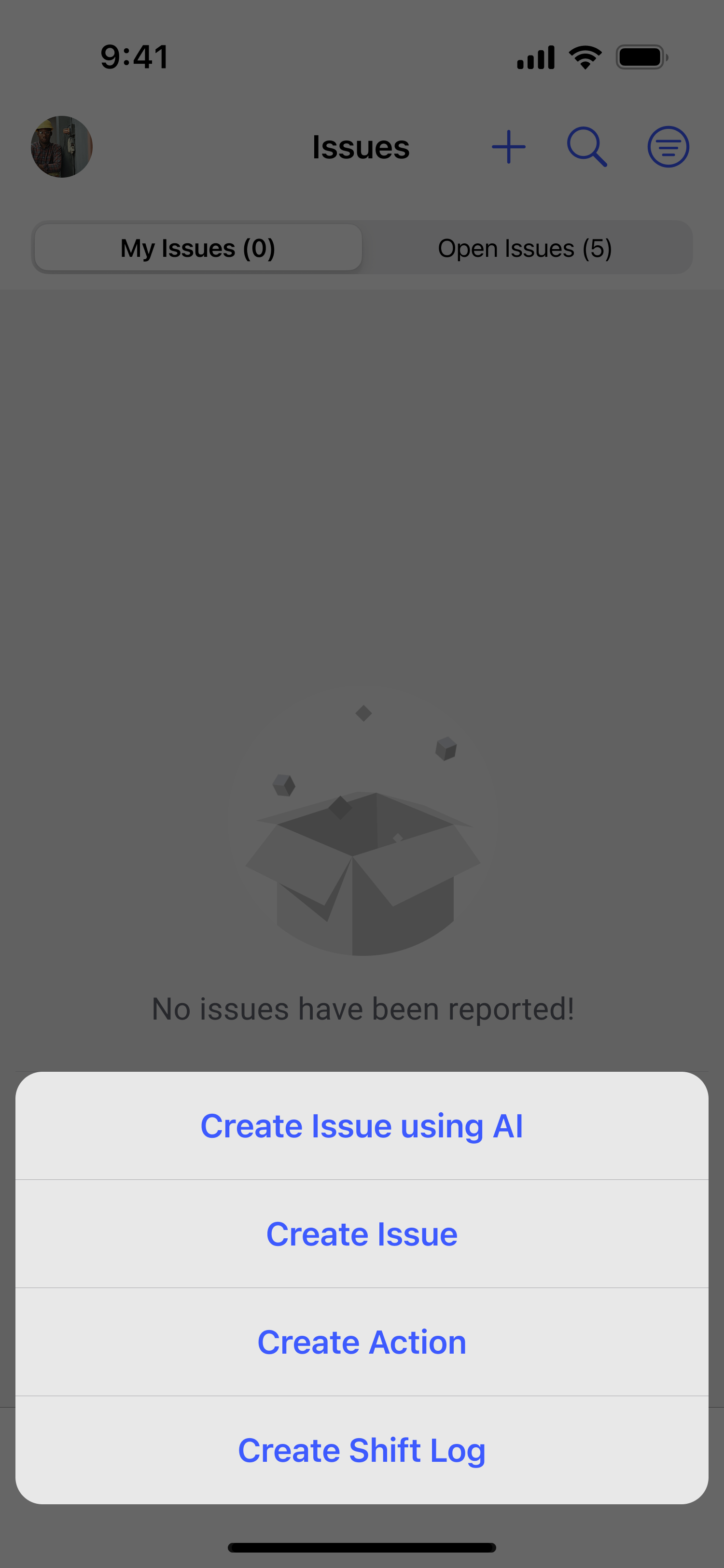
-
Describe the issue in any of these ways:
- Enter a description in the text box. Include the equipment, functional location, and severity of the problem.
- Tap the Microphone icon and speak the description.
- Tap the Camera icon to take or upload a photo.
Figure 2. 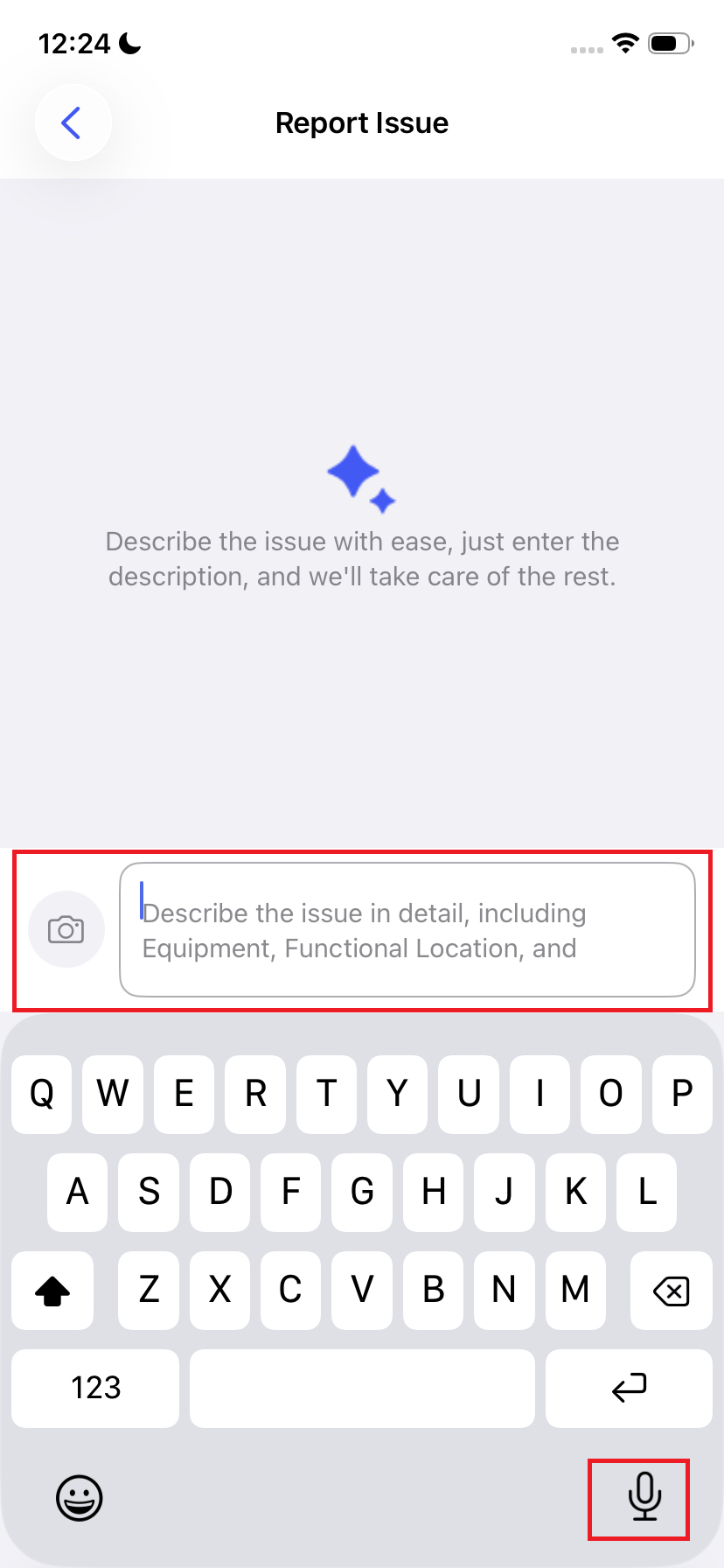
The Issue is created and appears in Open Issues. If it is assigned to you, it also appears in My Issues.
Next: If you are responsible for the investigation, assign the Issue to yourself. Return to the round and continue the remaining tasks.