
Archive a Round Plan
Archive an inactive round plan to remove it from normal working views without permanently deleting its record.
-
Click the More
 icon and select Archive for the round plan to archive.
Figure 1. Archived Screen 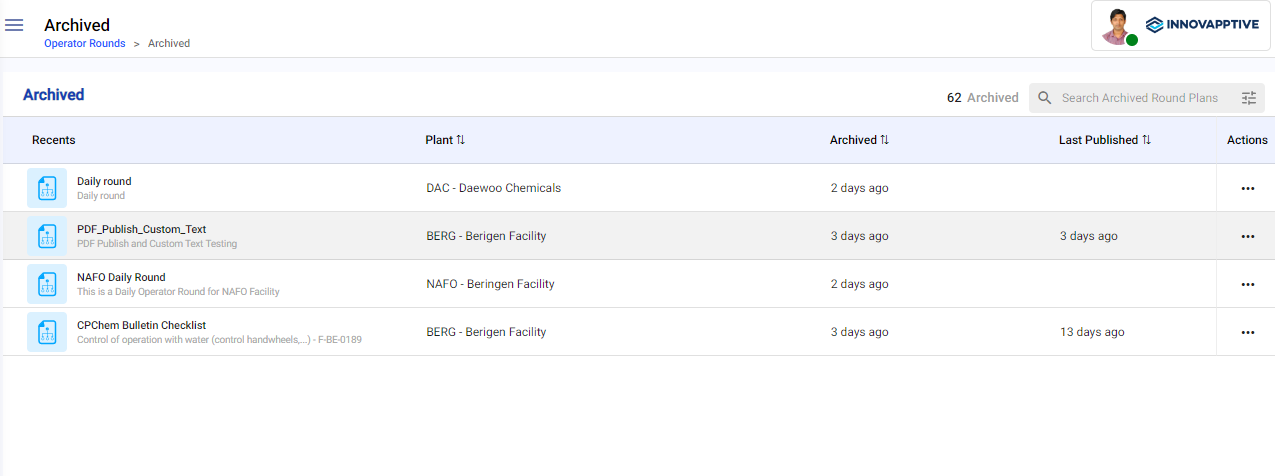
The round plan is archived. It leaves the Round Plans screen and appears in the Archive screen, where it can be restored or deleted.
To bring the plan back into use, see Restore a Round Plan. To remove it permanently, see Delete an Archived Round Plan.