
Modify Round Plans
Modify a Draft or permitted round plan when assets, tasks, guidance, or operational requirements change. Review the effect before republishing or rescheduling.
To edit a round plan:
-
Click the More
 icon > Edit for the
selected round plan.
icon > Edit for the
selected round plan.
Figure 1. Edit Rounds 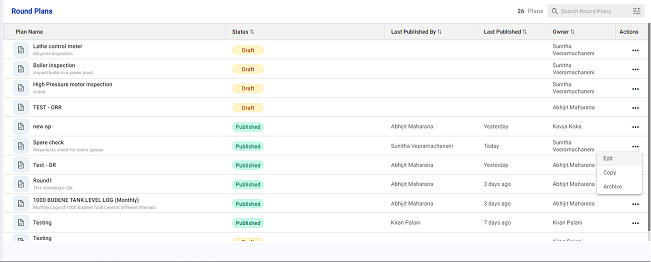
Next:Preview the revised plan before it is approved, published, or used again.