
Pick Items from Inventory for Outbound Delivery
Use the IM Picking sub-module to record movement of goods from the inventory to fulfil an outbound delivery order. Select the line items to be picked using the delivery document based on Delivery Date and Material.
Using this module, you can do the following:
- Pick items only from the documents that are in Not yet processed status.
- Scan the line items to automatically select the items for delivery.
- Split the delivery quantity to multiple batches using the Batch Split
 icon. You can add or delete the
batches.Note:Ensure the total batch split quantity is less than or equal to the Outstanding Quantity for the line item.
icon. You can add or delete the
batches.Note:Ensure the total batch split quantity is less than or equal to the Outstanding Quantity for the line item. - Revert the picked item only for the Partially processed documents. Unpick the quantity that was picked. For example, if you realize that the wrong quantity was picked, you can undo the operation by picking the required quantity from the line item. The picked quantity is updated for the line item.
- View source and destination bin details while confirming the Inventory Managed Delivery record. This helps you to have better visibility of material locations and speed up material movement. The Bin number maintained in the master material Bin field is the Source bin and the container created for shipment is the Destination bin.
To pick materials:
-
Tap IM Picking.
Figure 1. Search Delivery Document 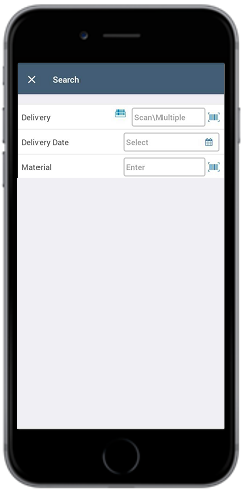
-
Tap on the Delivery document.
Figure 2. Select Delivery Document 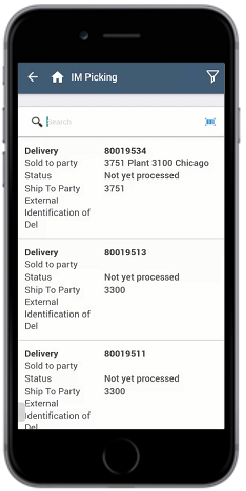
-
Select the line items and enter the Actual quantity.
- For batch managed material, tap the line item to select the batches that you want to pick. If the line item has only one batch, Batch field is shown with the batch number.
- You must pick the complete Delivery Quantity to post the Goods Issue.
Figure 3. Delivery Document Details 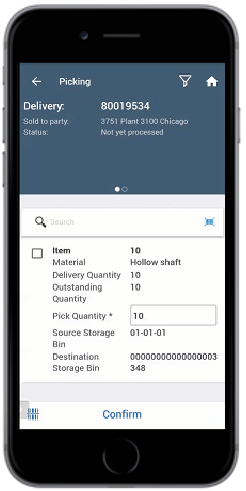
The picking is posted for the delivery document.