Use the Picking sub-module to record movement of goods from the warehouse to
fulfill an outbound delivery order.
Select the line items to be picked from Warehouse using the delivery document based
on delivery number, warehouse, and material. You can also print and email the pick
list.
To pick items from warehouse for outbound delivery:
In the Home screen, tap Inbound & Outbound Processes.
Tap Picking.
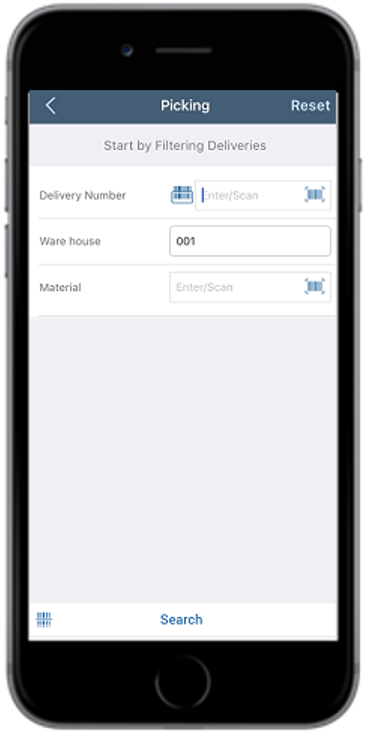
Figure 1. Picking Search Screen
Enter the search criterion such as Delivery Number, Warehouse,
and Material.
Tap Search.
Tap Scan to combo scan multiple fields. This automatically selects the
corresponding line item in a single trigger and eliminates the need for the
manual entry of quantity by using Quantity Aggregation feature.
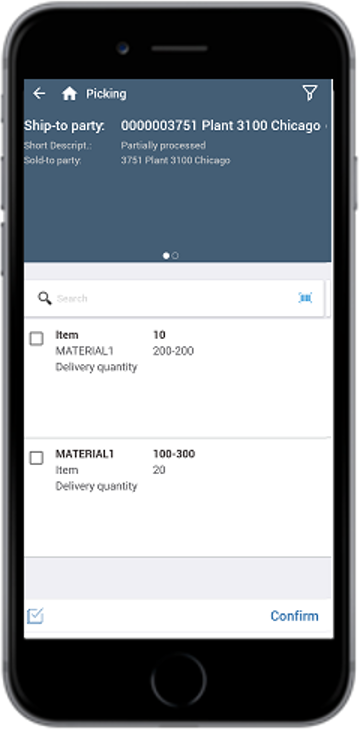
In the search results screen, you can:
Tap the Search field to search the delivery document.
Tap the Scan icon to scan the barcode of the delivery
document.