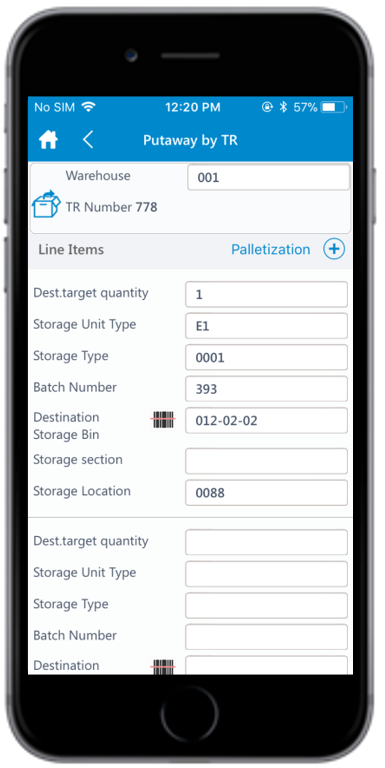
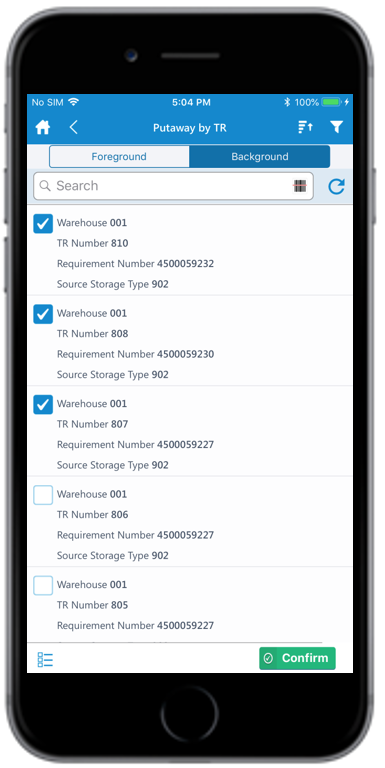
Use the Putaway by TR sub-module to put away materials using Transfer
Requirements (TR), in Foreground or Background mode.
A TR is a request to initiate goods movement from source storage bin to destination
storage bin in the warehouse. You can move goods from a Warehouse Management
storage location to an Inventory Management storage location using Transfer
Requirements with Storage Unit Management.
You can perform the Putaway using TR for the inbound/outbound deliveries in
Foreground and Background modes. Steps 1 to 4 are the same in
both modes. After step 4, follow steps 5 to 11 for Foreground mode or steps
12 to 14 for Background mode.
In the Home screen, tap Inbound & Outbound Processes.
Tap Putaway by TR.
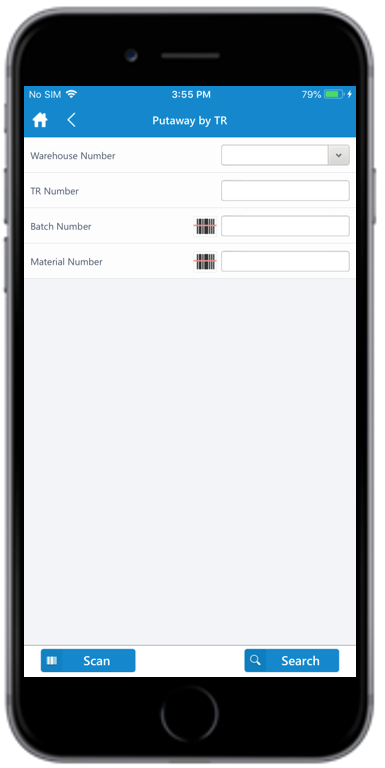
Figure 1. Putaway by TR Search
Enter the search criterion such as the Warehouse Number, TR
Number, Batch Number and Material Number.
Tap Scan to dynamically scan the barcode, based on the dynamic combo
string. Once the scanning is done, you are navigated to the posting screen to
edit or post the data. This feature is RACE configurable.
Tap Search.
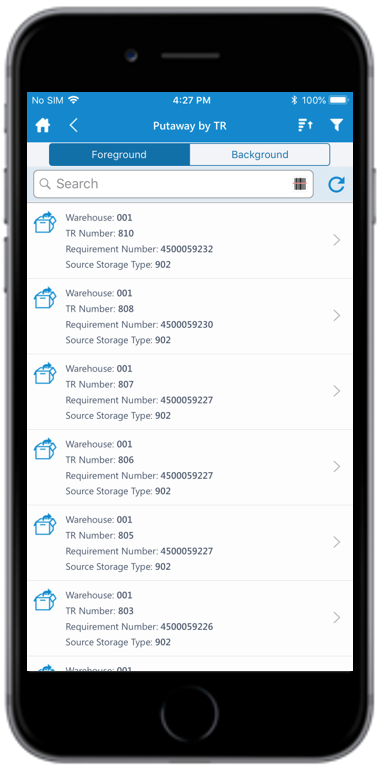
If you tap Search without any search criteria, the complete list of transfer
requirements is displayed. On the search results screen, you can:
Tap the Search field to search the TR document.
Tap the Scan icon to scan the barcode of the TR document.

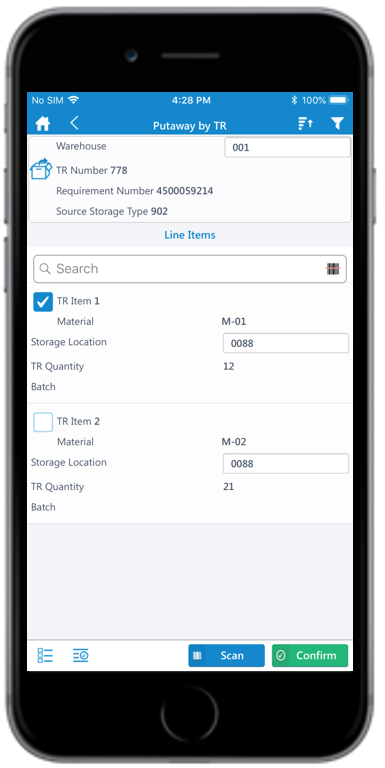
 icon to add the line item(s).