
Save and Resume a Round
Save a round when you need to pause before all tasks are complete. You can resume later without losing the responses already recorded.
When and why: Use this whenever you need to step away from a round before it is complete — for example, to respond to a higher-priority round or an emergency.
To save a round in progress:
-
Tap Save.
Figure 1. Save Round 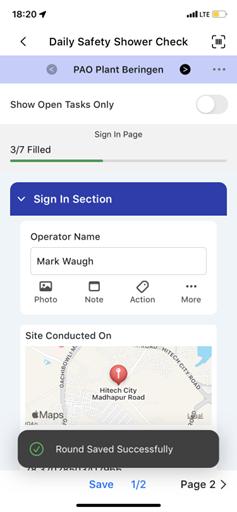
The round appears in the My Rounds tab under In Progress. All readings you already entered are retained.
To resume: Open the round from the In Progress section of My Rounds and continue from where you left off.
Next: Complete the remaining task responses from the saved point. See Review Task Guidance and Complete Each Response Type.