
Report a Follow-up Issue
Report an additional problem found during a work order without leaving the current screen.
Use the Report Follow-up Issue option to log a new problem you notice while working on a work order.
For example, while replacing a pump motor, you notice that the nearby pipe has a small leak. You can log it as a follow-up issue on the spot instead of noting it down to report later.
-
Tap the More
 icon in the top-right
corner.
icon in the top-right
corner.
-
Select Report Follow-up Issue.
Figure 1. Raise Follow-up Issue 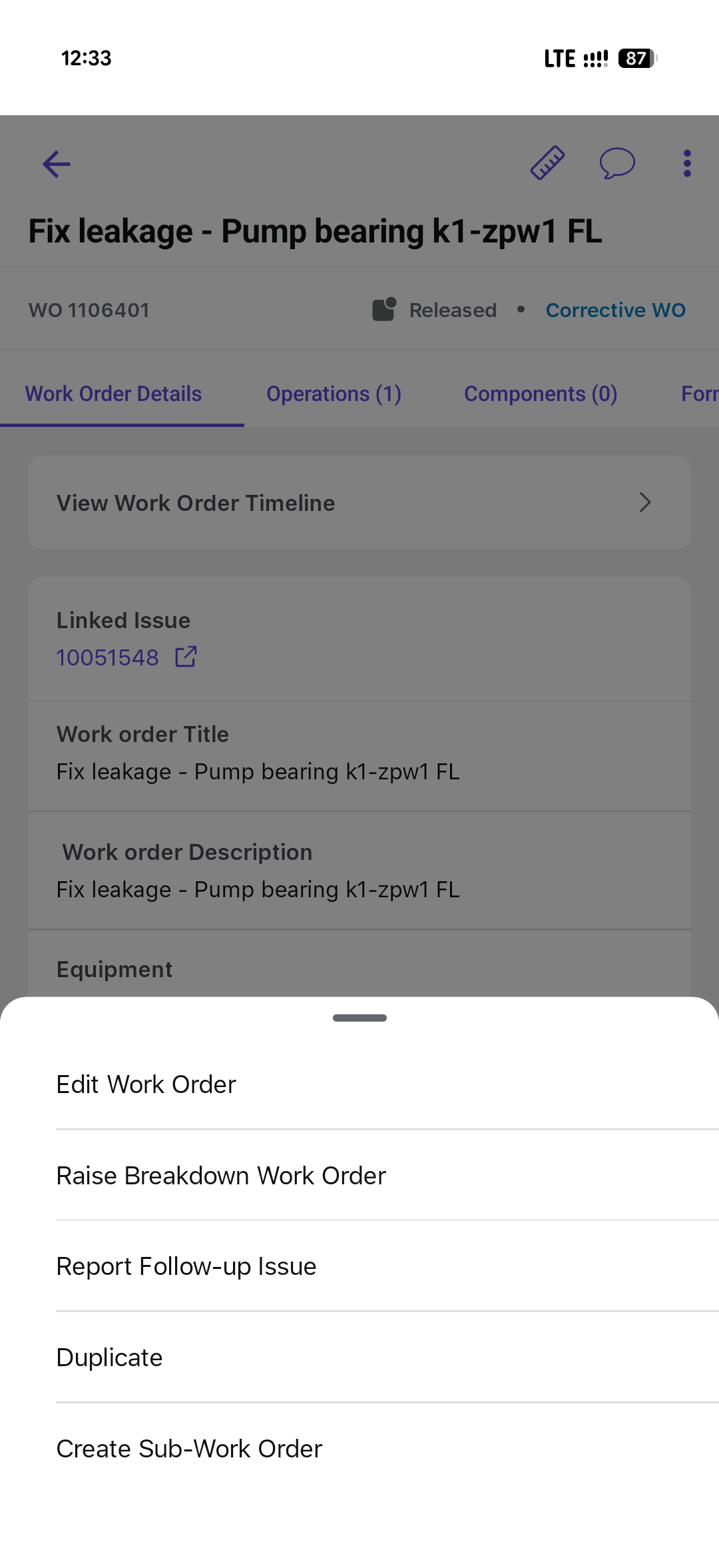
The follow-up issue is created and linked to the current work order. Return to the current operation and continue work that can be completed.