
Collect Components
Collect the components required for a work order by scanning QR codes or checking inventory stock.
To collect components:
-
Select or scan the QR code to collect the components from the Inventory or
Kitting Area.
Figure 1. Components Screen 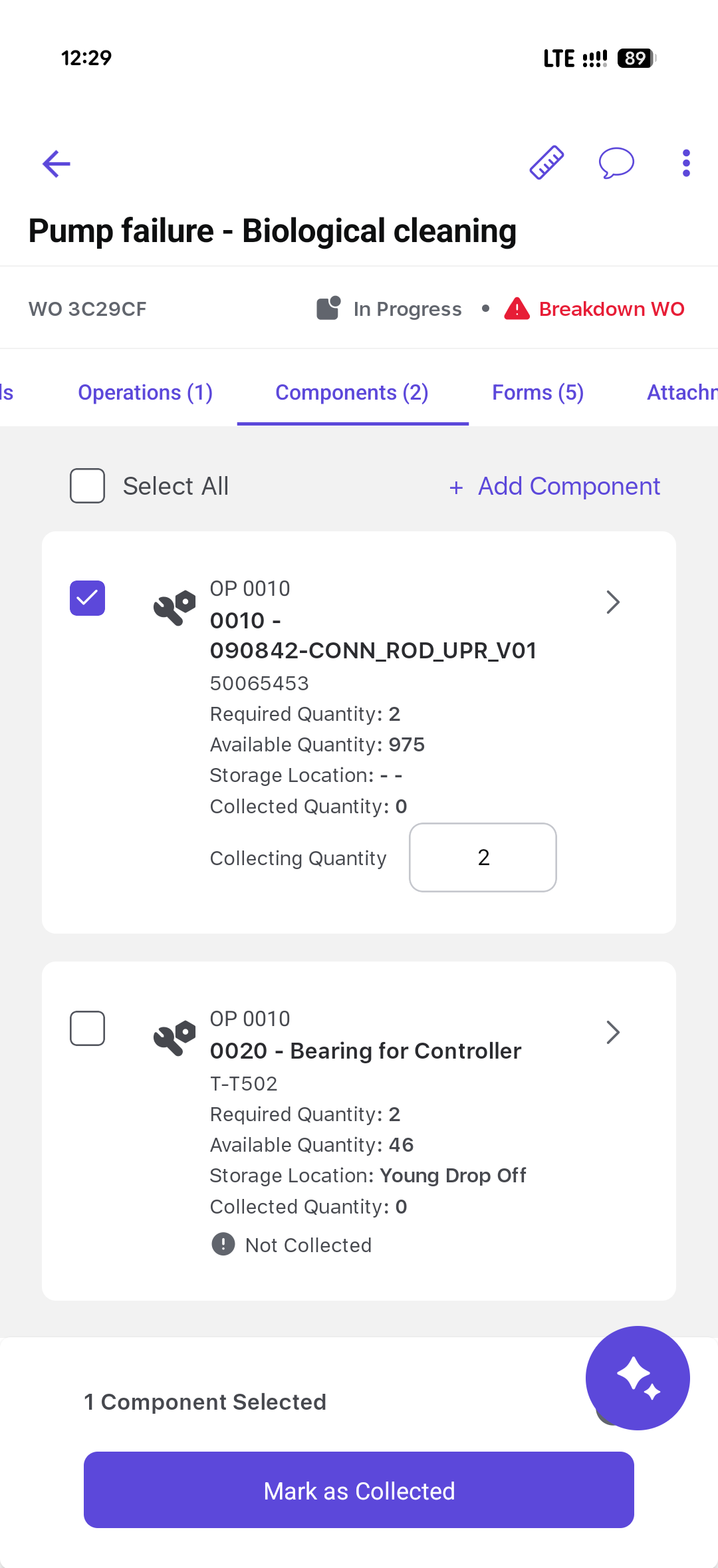
The collected component quantities and status are recorded for the work order.
Next: After completing the required prerequisites, start the assigned operation.