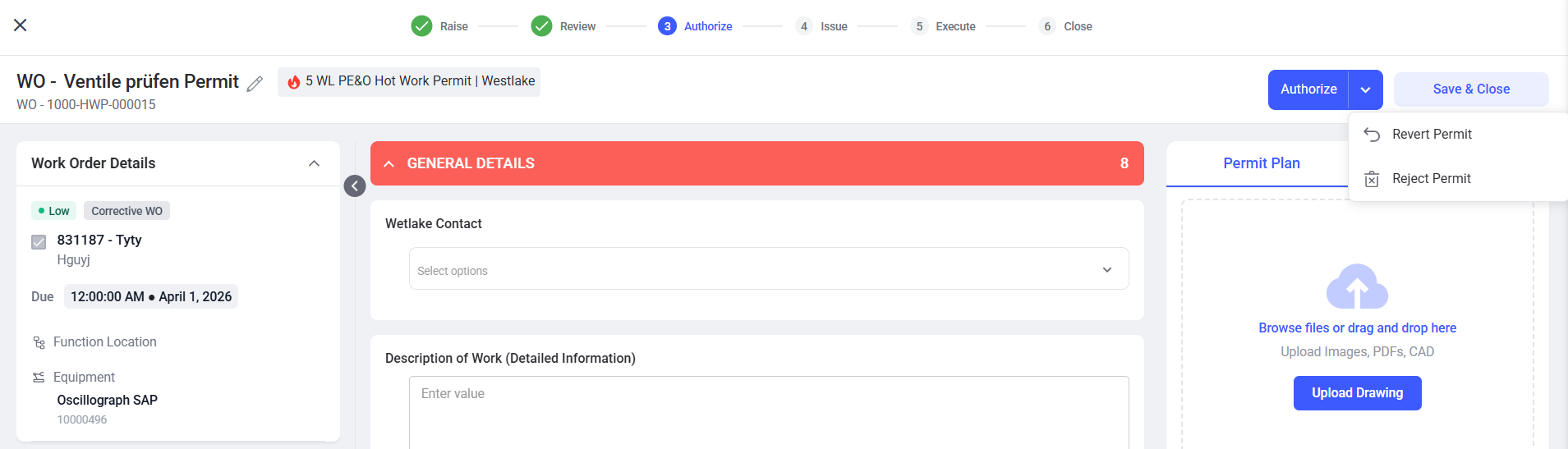
Authorize the Permit
Once a permit is reviewed, it moves to the authorization stage, where the authorizer performs final checks and confirms that the work is safe before approval.
Follow the steps below to Authorize the permit:
- Navigate to EHS → Permits from the left navigation panel.
-
Click All Permits or Pending Authorization tab.
Figure 1. Pending Authorization 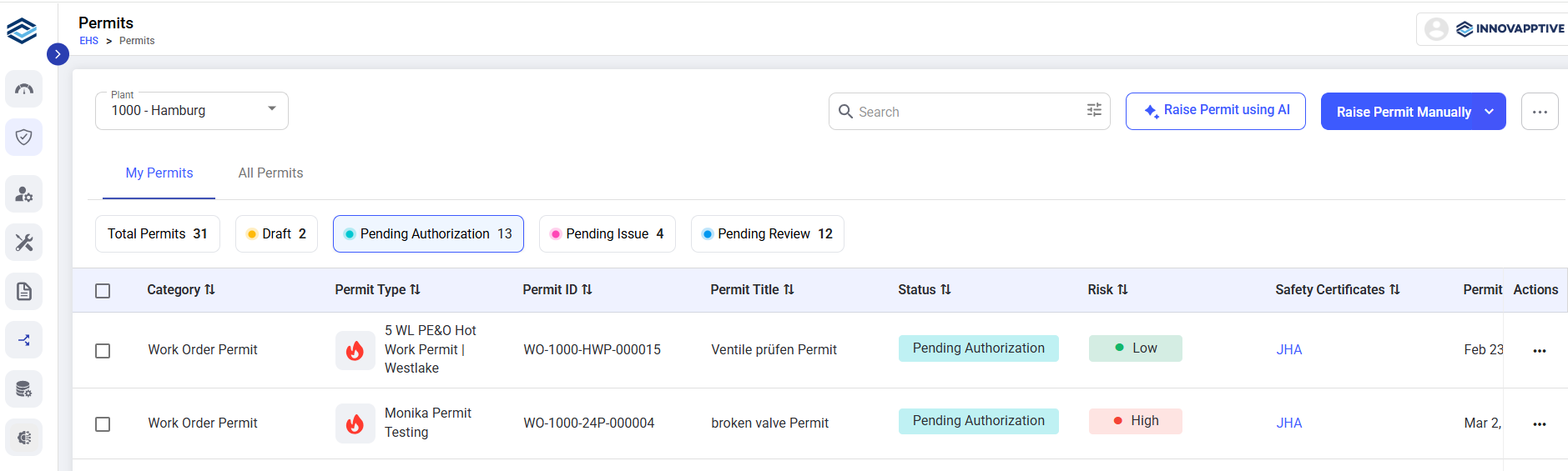
- Select the permit to authorize.
- Review the permit details.
- Update permitted fields, if required.
- Click Review → Revert Permit to send the permit back to the Reviewer if any changes are required.
-
Click Authorize to authorize and move the permit to the
issue stage.
Note:If a permit is raised with a JHA, the Authorizer cannot authorize the permit until the linked JHA is approved.
-
Click Reject Permit if the permit is not required.
Figure 2. Authorize Permit