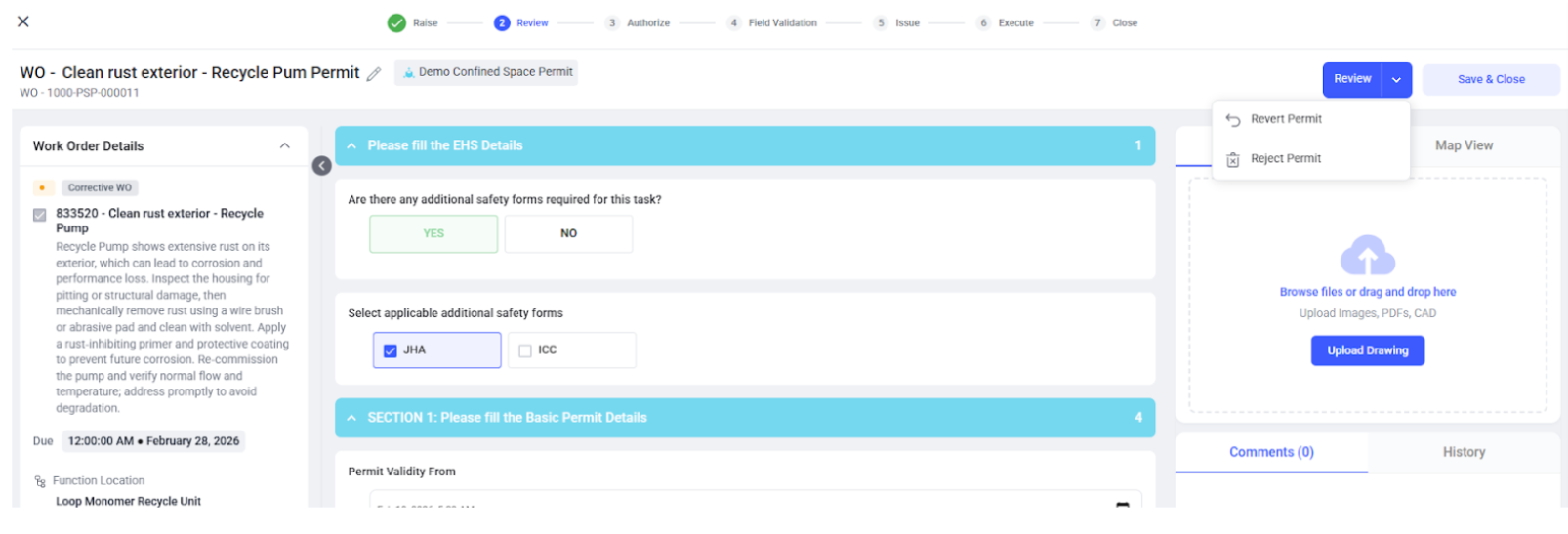
Review and Revert a Permit
After a permit is raised, it enters the review stage, where the reviewer validates the work scope, hazards, and safety requirements before allowing the permit to move forward.
To review the permit, follow the steps below:
- Go to EHS → Permits from the left navigation panel.
-
Click All Permits or Pending Review tab.
Figure 1. Review Permit 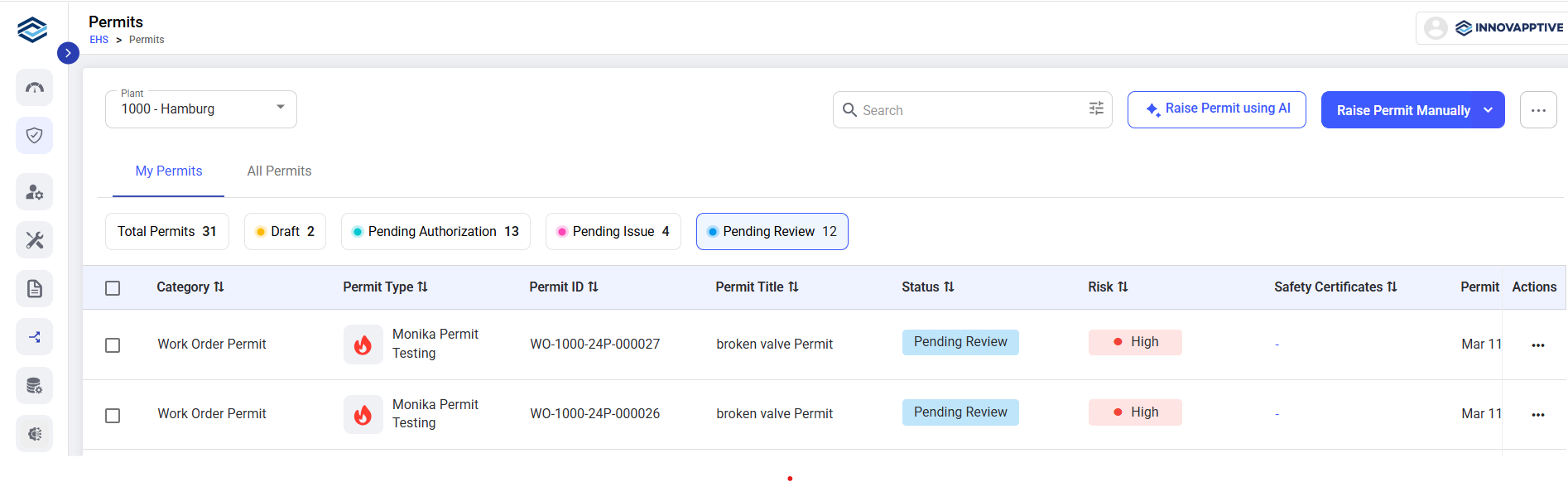
- Select the permit to review.
- Review the permit details.
- Add comments if any clarification is required.
- Click Review → Revert Permit to send the permit back to the requester, if changes are needed.
-
Click Review to approve and move the permit to
authorization.
Figure 2. Review or Revert Permit