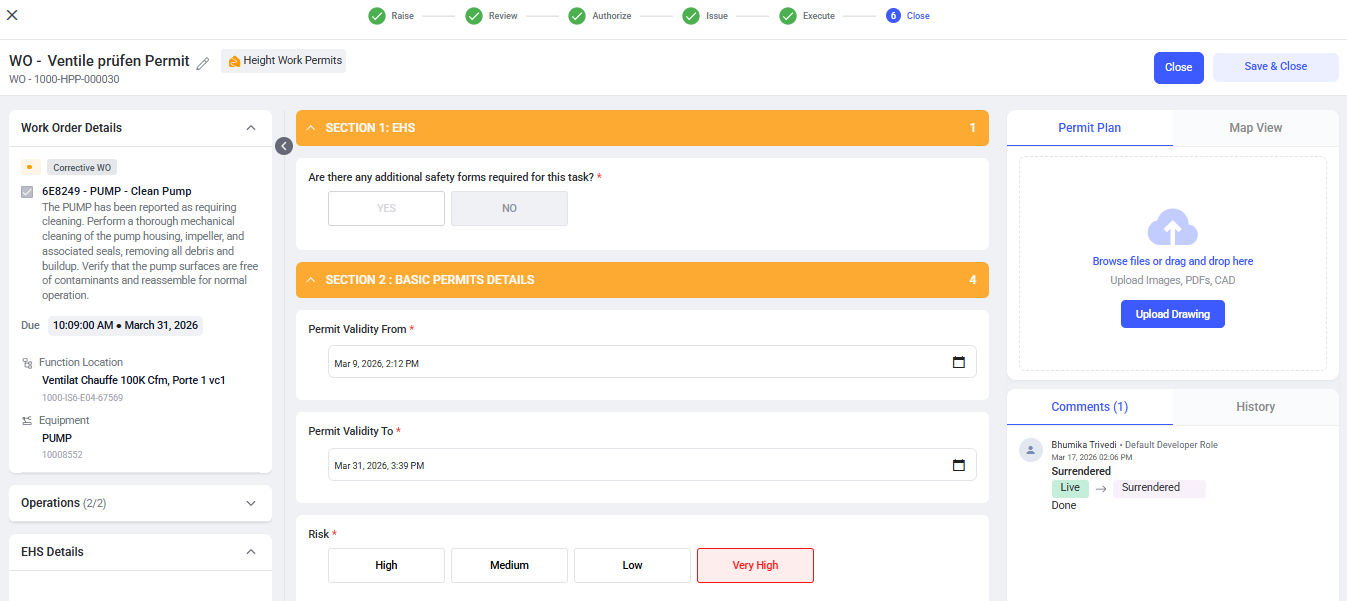
Close the Permit
After the work is completed and the permit is surrendered from the Mobile application, the Permit Issuer can review and formally close the permit.
To close the permit, follow the steps below:
- Navigate to EHS → Permits.
-
Go to the Surrendered tab.
Figure 1. Surrendered Permits Tab 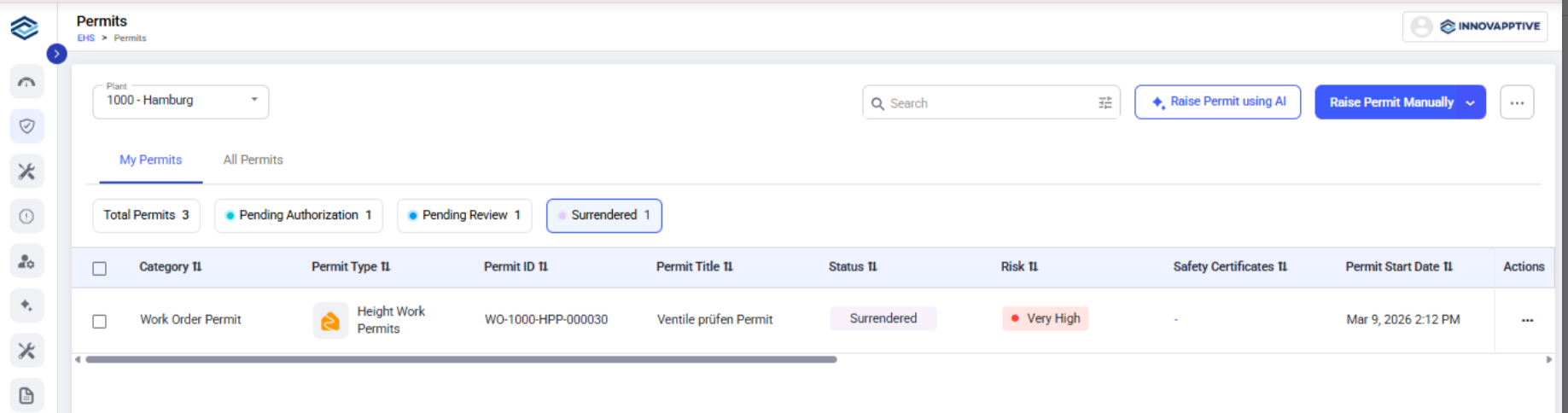
- Select the required permit to close.
- Open the permit and review for Work completion status, Execution details and logs etc.
-
Verify:
- All operations are completed
- The permit has been surrendered
- No open safety issues remain.
-
Click Close Permit.
Figure 2.