
Authorize the Permit
Once a permit is reviewed, it moves to Stage 3 (Authorization) where the Authorizer performs final validations and confirms that all safety requirements are met before approving the permit to proceed.
Follow the steps below to Authorize the permit:
- Go to the Permits tab.
- Select the permit to Authorize.
- Review the permit details.
- Click Take Action.
-
Select one of the following actions:
- Mark as Authorized: Approves the permit to the next stage.
- Revert: Sends the permit back to the requester if changes or corrections are required.
- Reject: Rejects the permit if it is no longer required.
Figure 1. Authorize the Permit 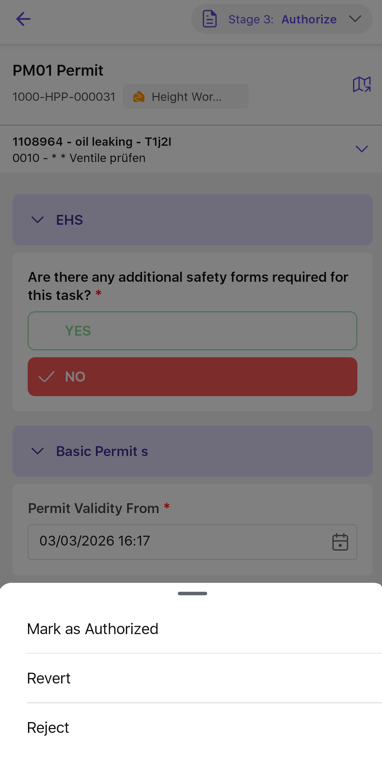
- Add Signature and Comment.
- Click Submit to complete the action and move the permit to the next stage.