
Raise a Permit
To raise the Permit follow the process below:
- Open the iPermits mobile application.
- Go to the Permits tab.
-
Click the + icon.
Figure 1. Raise a Permits 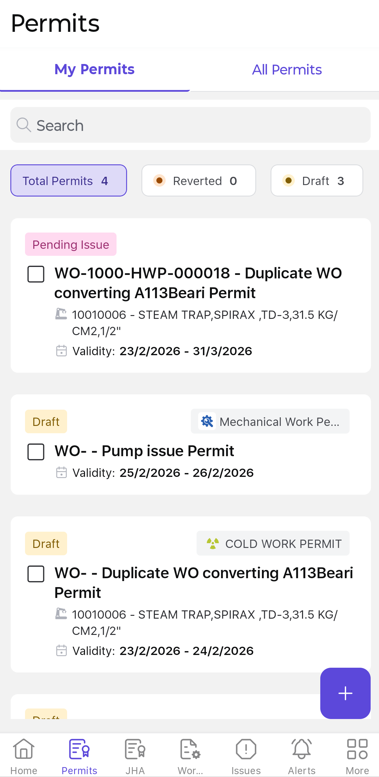
- Select Raise Permit.
- Choose the required Work Order.
- Click Continue.
- Select the applicable Operation(s) and click Continue.
- Enable Combined Permit if the same permit applies to all selected operations.
- Select the required Permit Type from the dropdown list.
- Enable the Consolidated Permit option to combine multiple permit templates (for example, Hot Work and Electrical) into a single consolidated permit.
- Click Continue.
- Complete the required fields by following Steps 10 through 12 from the section Raise Permit Manually.
- Click Submit to raise the permit (or)
- Click Save as Draft to save the permit for future completion.