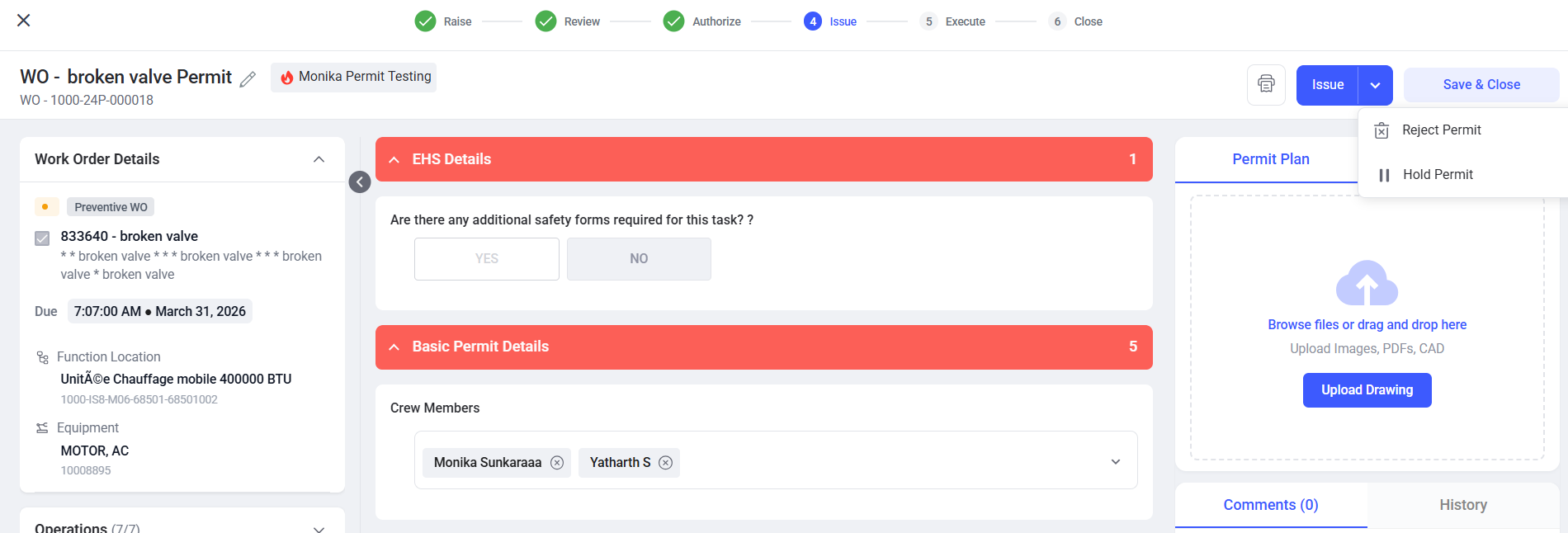
Hold the Permit
The Permit Issuer can place a permit on Hold if environmental or site conditions are not suitable to perform the work safely within the permit validity period. Once the conditions are restored to a safe state, the Issuer can remove the permit from Hold and proceed with the workflow.
Follow the steps below to hold the permit:
- Navigate to EHS → Permits from the left navigation panel.
- Click the All Permits or Pending Issue tab.
- Select the permit that needs to be kept on hold.
- Click the dropdown arrow on the Issue button.
- Select Hold Permit.
- Provide a comment specifying the reason for keeping the permit on Hold.
-
Click Hold to place the permit on Hold.
Figure 1. Hold the Permit