
Link Standalone Permit to a Workorder
Standalone permits can be linked to a Work Order when the work becomes associated with a planned maintenance activity. Linking ensures the permit is aligned with the correct work order and operations for proper tracking and execution.
To link Standalone permit to a workorder:
- Select the permit that needs to be linked to the Work Order.
-
Click Link Work Order.
Figure 1. Link Work Order 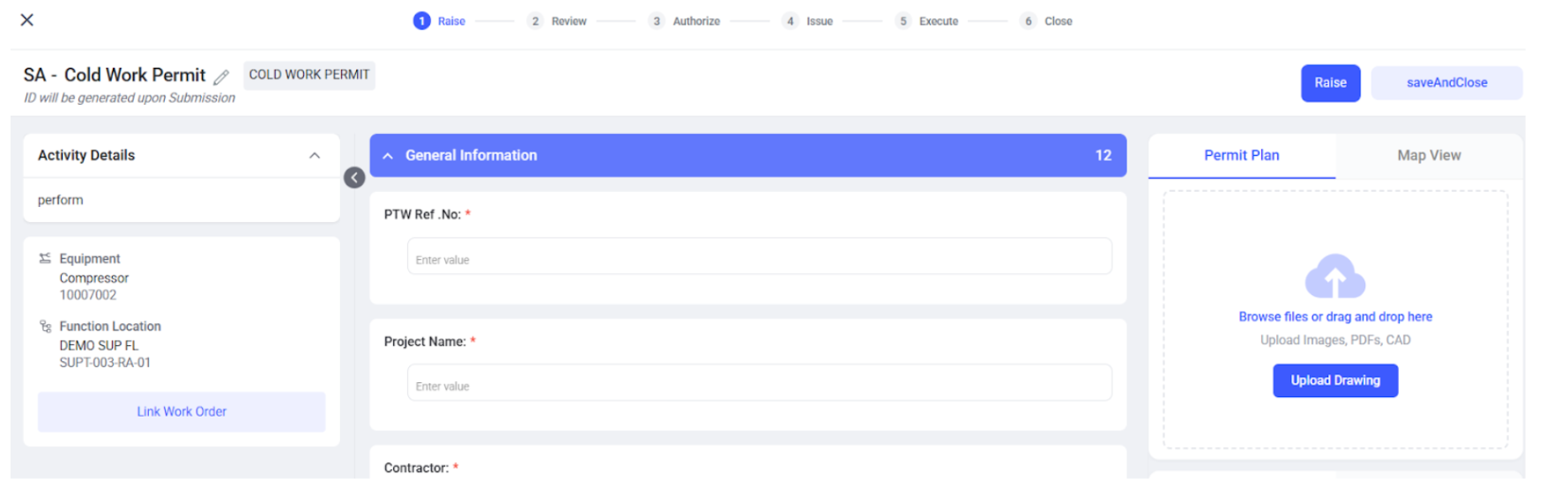
- In the Choose Work Order / Operation window, review the list of available work orders.
- Use filters (for example, Work Center, Equipment, Functional Location, Priority, Type, Created By, or date range) to narrow down the work order list, if required.
- Select the required Work Order.
- Expand the work order to view its operations, if applicable.
- Select the required Operation(s) to link to the permit.
-
Click Link to Permit.
Figure 2. Link to Permit 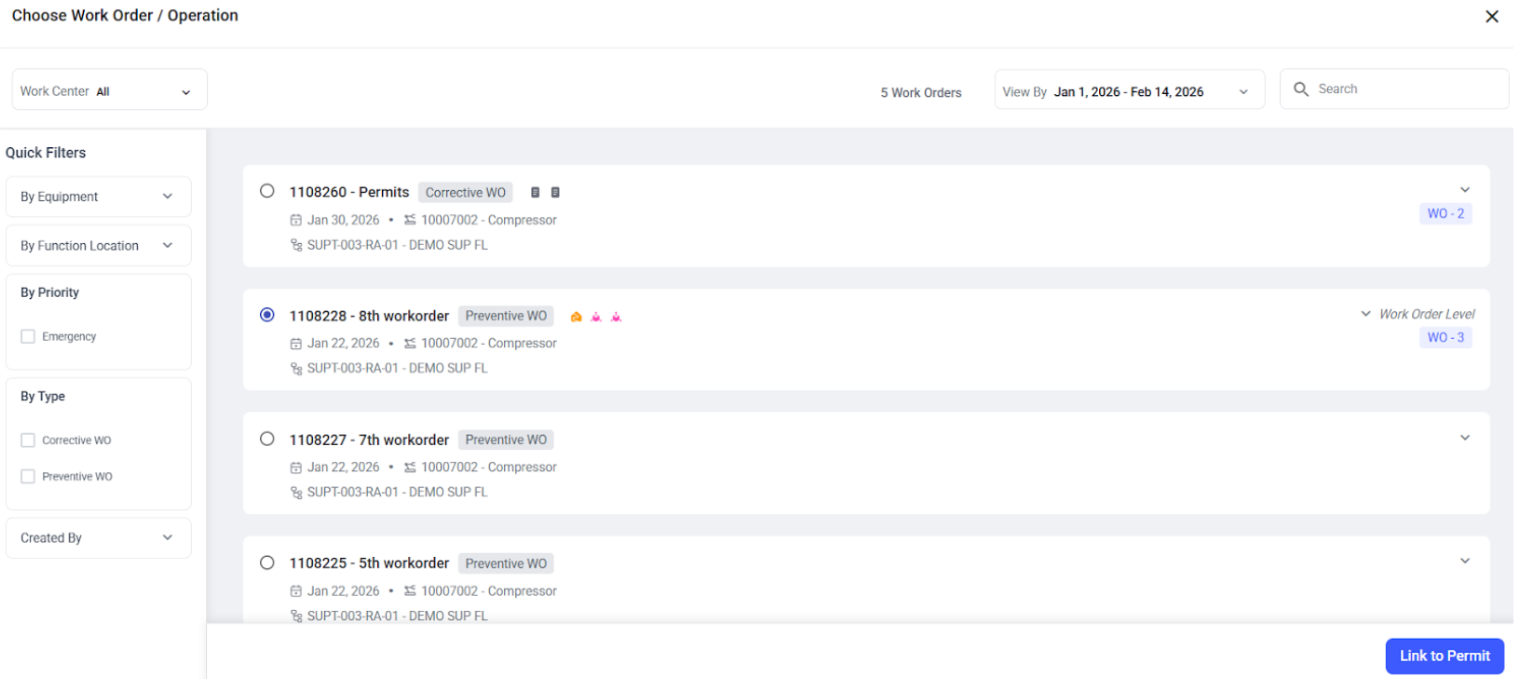
-
Click Confirm to complete the linking.
Note:If the selected Work Order or Operation has a different validity period or risk level than the permit, a warning is displayed indicating a mismatch. On confirmation, the permit’s risk level and validity dates are applied to the linked Work Order/Operation to keep safety information aligned.